Solved Phones ring instead of alerting when intercom'd

Status
Not open for further replies.

JoeB

Forum User
Basic Certified
Joined
Jul 15, 2020
Messages
35
Reaction score
1
We have a site where when a user intercoms another, the called phone rings instead of opening the talk path immediately.
Everyone has Can Intercom permissions, they use the default *9 + extn to use the intercom. I can't replicate this on my test phones.
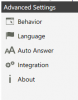
One solution I found on a post said "It ended up being that they had their clients in softphone mode". Another that mentioned "Auto Answer"
being off. I'm set up this way and it works correctly.
What else can I look at?

The site is cloud hosted, running V16.

1596031527990.png
1596031740546.png
 
Can you make sure that the dial code is actually *9 and not something else?
Also make sure that the person doing the intercom actually does have the right within the group, or on their extension specifically.

Auto answer will not solve your issue here as this will auto answer the call even when it is a normal phone call.
 
Can you make sure that the dial code is actually *9 and not something else?
Also make sure that the person doing the intercom actually does have the right within the group, or on their extension specifically.

Auto answer will not solve your issue here as this will auto answer the call even when it is a normal phone call.
The group has rights, all extensions are in the group, each extension has the rights, i.e. none have explicit exceptions. *9 is the code, and it does ring the target, but that's pointless, it's not really an intercom. I visited the site and tried it myself, to be sure the the users aren't reporting the problem incorrectly.
 
I called into the office using the web client with an extension on their system. When I intercom them, it works correctly. They intercom me back, my phone rings.
So far the only way I've been able to duplicate this is by disabling intercom via my phone's web page.
It's enabled on the phones at this site.
Any assistance is appreciated.
 
Check the dial codes of the system and make sure that nothing else starts with *9. If it does find a unique dial code for paging.
 
I realize that I didn't post my installation details:

3CX Version - Enterprise Annual / 16.0.619
Server OS - Hosted Linux
Is the 3CX Server Hosted and where? - Yes. Cloudco
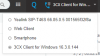
IP Phone Make/Model/Firmware - Yealink T29G - 46.83.0.130 / .20
Provisioning Method: - STUN
Trunk Provider or Gateway Make/Model - CloudCo
Has the Firewall Checker passed: - Yes
Are custom Phone Templates being used: - No

*9 is the correct code, I had checked that. That was a good tip, though, about seeing if it's used for another feature, I hadn't looked at that, and don't know if the system would accept it.

I've also verified that intercom is enabled in the phone configuration. Not auto-answer, though, because then all calls would do that. I didn't see an answer setting specific to intercom for these model phones.

We don't use custom templates, and I'm too new to the system to play with them, but I see these phones use "yealinkT4x.ph.xml". Does this cover the T2 series, also?
 
Resolved, please close.
 
Status
Not open for further replies.

Forum statistics

Threads
111,956
Messages
589,927
Members
164,858
Latest member
MichaelRussell3