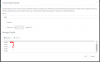
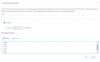
Sean Glasspool Customer Joined Dec 7, 2017 Messages 70 Reaction score 9 Jan 23, 2019 #1 Hi Community. Trying to get a bunch of audio files to play in order (or at least upload in order) Tried many variations, however each time I try to upload in order, 3CX seems to re-order like this. I think the only way forward is to join the files...........
Hi Community. Trying to get a bunch of audio files to play in order (or at least upload in order) Tried many variations, however each time I try to upload in order, 3CX seems to re-order like this. I think the only way forward is to join the files...........
YiannisH_3CX Support Team Staff member 3CX Support Joined May 10, 2016 Messages 11,798 Reaction score 1,779 Jan 23, 2019 #2 Hello @Sean Glasspool I did try to replicate the issue but my files stayed in the correct order. Are your files rearranged always the same way or is the order random?
Hello @Sean Glasspool I did try to replicate the issue but my files stayed in the correct order. Are your files rearranged always the same way or is the order random?
Sean Glasspool Customer Joined Dec 7, 2017 Messages 70 Reaction score 9 Jan 23, 2019 #3 Hi @YiannisH_3CX So if you click Save, return to the Playlist, is it still in order? Thanks Sean
Sean Glasspool Customer Joined Dec 7, 2017 Messages 70 Reaction score 9 Jan 23, 2019 #4 Unzip the Video and play in VLC / Film & TV in Win10 Attachments Playlist Reordering.zip Playlist Reordering.zip 805.2 KB · Views: 17
YiannisH_3CX Support Team Staff member 3CX Support Joined May 10, 2016 Messages 11,798 Reaction score 1,779 Jan 24, 2019 #5 I see what you mean and i will try to replicate the issue on a different machine to see what is causing this. On mine files stay in order even if i save them and go back to the playlist.
I see what you mean and i will try to replicate the issue on a different machine to see what is causing this. On mine files stay in order even if i save them and go back to the playlist.