Please help - no System Notifications when called in PWA / Chrome on Windows

Status
Not open for further replies.

antrill

Premier Customer
Joined
Dec 7, 2019
Messages
45
Reaction score
10
Hello,
due to the security nightmare we switched to the PWA in Chrome in a rush, probably like many of you did.
However I and others do not get Windows notifications (popups in the lower right corner) when a call comes in, despite having enabled everything related in Chrome and Windows as far as I could see.
Can anyone point me to what I might have missed?

People who have the ring sound in the headset and 3cx buried behind other windows miss calls...
Thanks,
Andreas
 
P.S. I DO get System notifications when a chat message arrives, but not for calls. They are only shown inside the 3cx PWA window. But I swear I have seen a popup in the lower right corner including red and green buttons to take or reject the call. (But at another user's PC) Is there a setting within 3cx for this?
 
I am in the middle of trying to figure out GPO deployments of the PWA app, and would also love an answer to this. (And how to have it start at login)
 
In the meantime I found out a few more things...
- It is on purpose that notifications for ringing are only shown when the 3cx window is minimized or closed. Chat notifications are always shown, ringing not. So advise users to minimize / close instead of putting 3cx behind other windows. (Would be nice to have a toggle for that, though.)
- Unfortunately, there are some users who get no notifications at all, no matter what I set. Even in MS Edge it's the same. Systems settings allow notifications as far as I can see.
- And again others get notifications when 3cx PWA is minimized, but 3cx won't run at all in the background when the window is closed. I don't get the pattern here and I have not found a setting for "run in background" yet.

Can someone from 3cx comment on these things?
 
Hi,

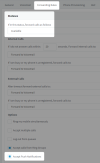
Please check what Status the users are currently on, and whether their status has Accept PUSH.

We use PUSH to send Chrome / Edge notifications.

1680680916575.png
 
Thanks a lot @JohnS_3CX !
That makes sense, now I understand. I always thought push is only for iOS and Android. The user in question was indeed using a status without push enabled. It remains a little strange that sometimes the PWA gets woken up if no Chrome window is open, sometimes not. But I guess this is outside the range of 3cx to change.
 
  • Like
Reactions: JohnS_3CX
Is there a way to have it autostart through Group Policy?
 
Glad to hear! You can also enable the PWA to start automatically at login even if the user does not open Chrome.

Check out our instructions here: https://www.3cx.com/blog/releases/web-client-pwa/
Thanks. I knew about auto start and that worked. I was still concerned about what happens when a user closes the app window and a call comes in after that. (Since in the now defunct Desktop App, users could do that and it still ran in the system tray. So many did just that.)

I think I figured it out now. For reference:
  • Install PWA and set to auto-start.
  • Set a status that includes push.
  • Minimize PWA window or close it, but leave at least one Chrome / Edge Window open ->
    call notification comes in. Click on green receiver icon -> PWA opens and call is active.
  • If you close the PWA window and NO Chrome / Edge window is left -> SOL, no call possible.
I can live with that.
 
Is there a way to have it autostart through Group Policy?
This seems to have been answered here (negatively) but the referenced URL talks about Google Admin Console and not Windows GPOs. The possible settings should be the same, I guess. I also did not check if it works by now, but I did successfully deploy Chrome Addons and Bookmarks via GPOs (and even Intune for cloud managed PCs). I guess even more efforts will now be put into the PWA since the Desktop App is kind of "burned", so it may arrive soon.
 
Status
Not open for further replies.

Forum statistics

Threads
112,012
Messages
590,300
Members
164,955
Latest member
RCP