the windows firewall is turned on, using a windows 7 OScraigreilly said:IMPORTANT: Never post your entire Public IP Address - even if it is Dynamic. Mask it.
You have 50 call paths open... and using a dynamic address. If your volume is that high, I would recommend a static Ip and a commercial grade router. "i have upgraded to business broadband where they will provide me with static ip address which will take upto 10days. I just want to set this up now using dynamic for temporary purpopses"
If that is simply by accident, I would reduce the number of open call paths (9000-9099). ok how do i reduce it to your suggestion.
To figure out 5060 and 5090 -
Does your router block any outbound traffic? not sure! Does your ISP block any ports? not sure!!
What else is loaded on this computer? skype, ms office, tuneup utilities,
you can not just "open the port". generally you need to direct the open port to the correct private/static internal ip address of 3cx. also, if it is not a server grade OS (windows 7, Windows 8) is the local firewall turned off or opened for the correct ports?
jaberc said:sip trunks are now showing as not registered
I have installed Zoiper and skype. maybe that is using the 5060 and 5090 ports.leejor said:jaberc said:sip trunks are now showing as not registered
Were they registering previously? yes
And what have you changed? port forwarding, static ip
A DDNS service is not required, to use SIP trunking. It can be required for remote SIP extensions, amongst other things.
As far as DDNS, you should only be concerned that a DNS query of ewebtechs.no-ip.org returns your public IP. that can be checked from a number of sites that provide URL to IP resolution. At this time, it returns 80.43.207.170
What is the 3CX Server log showing when the trunks attempt to register? server activity or server event log? im not sure what it is showing or where to look?
If "something else" is using port 5060, then 3CX is probably not going to work properly. You should be running minimal "other" programmes on the PC/server you are running 3CX on, until you are sure that none are interfering with the PBX operation. If you have installed any SIP applications, in the past, they may be causing issues.
how will i change the ports as to this example?craigreilly said:Server Event Log and Server Activity Log are menu items in the 3cx Webconsole.
Looking in here should show why registration is failing.
As far as the 9000 ports go - rule of thumb for me at max:
(Number of license x 2) + (number of remote users * 2)
So if you have a 32 call license, and want to support 10 external users:
(32*2) + (10*2) = 84. Open ports 9000-9083.
craigreilly said:Server Event Log and Server Activity Log are menu items in the 3cx Webconsole.
Looking in here should show why registration is failing.
As far as the 9000 ports go - rule of thumb for me at max:
(Number of license x 2) + (number of remote users * 2)
So if you have a 32 call license, and want to support 10 external users:
(32*2) + (10*2) = 84. Open ports 9000-9083.
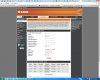
craigreilly said:how did you open the 9k range in the first place? i think i did this configuration in the router.
remove the rule and add a new one with the correct ports.
leejor said:That IP would be the fixed IP of the PC/Server running 3CX, as that is where you want to forward those ports.
leejor said:Then you may have to undo any changes that you made since they were last working. (it won't be anything to do with setting up DDNS). Preferably one at a time to see what "broke" things. You can also look in the 3CX logs to see what issue they show. That may give you a clue as to why it is not working.
craigreilly said:1) Hire a subcontractor familiar with the workings of network routers/firewalls
2) Get a real router
Founded in 2005, when VoIP was an emerging technology, 3CX has gone on to establish itself as a global leader in business communications.