https://<your FQDN>:<HTTPS Port>
it's the latest update atHi!
Can you please check that your 3CX Webinar plugin you have installed is v18.2.3?
Also, is your 3CX Server on V18 Update 1?
I did it but it doesn't work either.@peter007
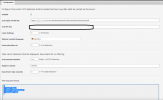
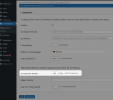
Upon closer inspection of your screenshot, you have entered the incorrect "3CX HTTPS Public URL".
All you need to enter is:
Code:https://<your FQDN>:<HTTPS Port>
You don't need to put at the end /meet/xxxxxxxxxxxxxxx .
Also, if your HTTPS Port is 443, you only need to put:
https://<your FQDN>
(also I obscured the FQDN from your post...)
In that case, could you please send me your FQDN and API Token in a PM so I can check from here what may be happening?I did it but it doesn't work either.
Founded in 2005, when VoIP was an emerging technology, 3CX has gone on to establish itself as a global leader in business communications.