Problem Configuration PATTON SN4960

Status
Not open for further replies.

Marco89

Joined
Oct 22, 2018
Messages
11
Reaction score
0
Hi all i had folow the guide on 3cx siute for PATTON SN4960 configuration.

When i generate the config file and import in the patton the 3cx server stop pinging the patton and he don't connect on the 3cx server.

there any config file to use for the configuration without using 3cx generation file?

thanks
 
Hi all i had folow the guide on 3cx siute for PATTON SN4960 configuration.

When i generate the config file and import in the patton the 3cx server stop pinging the patton and he don't connect on the 3cx server.

there any config file to use for the configuration without using 3cx generation file?

thanks
Hi,
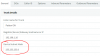
This happened with me once when I entered the wrong "Device Subnet Mask" on 3cx PBX.
Default value there is "255.255.255.0". So, if you left it the same and, for example, your Patton's IP is 192.168.1.10, it will accept the connection only to/from the devices (PC, PBX and etc) from the same subnet (192.168.1.1 - 192.168.1.254).
upload_2018-10-31_15-20-39.png
Check the Subnet Masks and if it's wrong, change it, generate the new config, reset the Patton and provision it again.
 
The SN4960 is an EOL Patton gateway, although this should not effect it working with 3CX you must take into account that the devices template in 3CX maybe outdated.

The latest firmware for the device is 6.11 firmware: https://www.patton.com/support/upgrades/

In its current state (and if the above suggestion does not work) you could always use the console cable that came with the device (serial) to connect up and see what is going on: https://www.patton.com/support/kb_art.asp?art=446&

You are looking for the Smartware commands specifically.
 
Hi,
This happened with me once when I entered the wrong "Device Subnet Mask" on 3cx PBX.
Default value there is "255.255.255.0". So, if you left it the same and, for example, your Patton's IP is 192.168.1.10, it will accept the connection only to/from the devices (PC, PBX and etc) from the same subnet (192.168.1.1 - 192.168.1.254).
upload_2018-10-31_15-20-39-png.8905

Check the Subnet Masks and if it's wrong, change it, generate the new config, reset the Patton and provision it again.

If the Patton is on a different subnet thanPBX it won't work regardless of the subnet. 3CX doesn't ask for and thus doesn't put a gateway in the Patton config. The fix would be to web or telnet/ssh into the Patton (locally) and add the correct gateway or edit the config file before importing to add the correct gateway.
 
  • Like
Reactions: YiannisH_3CX
If the Patton is on a different subnet thanPBX it won't work regardless of the subnet. 3CX doesn't ask for and thus doesn't put a gateway in the Patton config. The fix would be to web or telnet/ssh into the Patton (locally) and add the correct gateway or edit the config file before importing to add the correct gateway.

Finding this out the hard way... :(
 
Status
Not open for further replies.

Latest Posts

Forum statistics

Threads
111,901
Messages
589,636
Members
164,768
Latest member
Eagle Man