Problem provisioning Snom D735

Status
Not open for further replies.
Same provisioning link... works for a D725 but not a D735.
 
Ok, it's working when I manually enter the provisioning link into the web interface of the phone.

I forgot to replace the the text {mac} with the actual MAC address of the phone, so the actual provisioning link is...
When I pasted this into a browser on my laptop (on the phone subnet), it returns the configuration file as a download. This confirms that 3CX is working as needed.

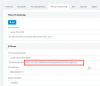
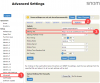
Here's what the web interface of the D735 looks like after it has been successfully provisioned.
11928

The end result is that PnP doesn't seem to work on the Snom D735, but if you can manually paste the provisioning link, then the phone works fine.

Thank you to everyone who helped me with this. Case closed.
 
Privacy note - I realise that I have posted information about this 3CX installation on a public forum - including the real MAC address of a phone and the subnet used - but we have good security in place on this installation and I wanted to share the actual information so that it might help anyone else with a similar problem.
Of course, it would be better to share NO private information, but then how would we all learn!
We are trying to be extra diligent about keeping the network and installation secure.
 
Hi Martin,

Glad to hear you were able to provision your phone.
I have stripped the personal information from here including your mac and provisioning folder. In the future just replace those with dummy details to avoid compromising your security.

As for the issue you faced, it seems the phone cannot reach the PBX via multicast hence does not appear in the phones list and cannot be provisioned automatically either. This is probably not a phone issue, but rather a network issue.
 
Thanks John.
If it's a network issue, why would the D725 phones work perfectly (pre and post provisioning)? I'm happy to investigate any config settings on the network that I need to be aware of, but I can't find the root of this one.
 
The question you need to ask is whether the multicast message is received by the PBX, this is the first requirement in order to have a new phone appear on your Phones section.

  1. Reset the phone
  2. Start a capture on your PBX
  3. Reboot the phone and wait until it's done booting up completely
  4. End the capture and open it in wireshark
  5. filter your results like ip.addr=={your phone ip} and sip.Method == SUBSCRIBE

You will see subscribe requests to destination IP 224.0.1.75 and port 5060 which is the multicast address for SIP.

Does this show up in your capture?
 
Thanks John.
Now that the phone is working, the customer isn't too keen on me spending time investigating the issue, so I'm not sure that I'll be able to go any further with this.
I appreciate your input here. If I get the opportunity to follow-up at a later time, I'll come back to this.
Regards, Martin.
 
No problem, let us know if you need any further assistance.

PS: Removed post with sensitive info
 
Status
Not open for further replies.

Forum statistics

Threads
111,933
Messages
589,810
Members
164,808
Latest member
jsbjsb