- Joined
- Oct 22, 2021
- Messages
- 5
- Reaction score
- 1
I'm having problems provisioning a Yealink T23G phone.
I have 3CX hosted on a public cloud server, SBC running on a Windows machine in the office.
The SBC hows up in SIP Trunks just fine.
The phone has been updated to the correct firmware (44.84.0.140).
When I reset the phone on the LAN, it connects to the local SBC and then appears in Phones.
However I don't appear to be able to properly assign and extension to it. When I do that, the phone shows up in the User's phones, but when I look at Phones, the Ext. and Name of that phone remains as "New". And the phone itself shows "No Service"
The only options I have for the phone are Add Ext, Assign Ext or Reject. The other options like Firmware, Reboot, Config etc are all greyed out.
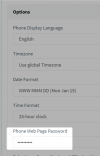
I cannot log onto the phones web GUI with either the default password, or the one from Phone Web Page Password in the extension's Phone Provisioning section
I have 3CX hosted on a public cloud server, SBC running on a Windows machine in the office.
The SBC hows up in SIP Trunks just fine.
The phone has been updated to the correct firmware (44.84.0.140).
When I reset the phone on the LAN, it connects to the local SBC and then appears in Phones.
However I don't appear to be able to properly assign and extension to it. When I do that, the phone shows up in the User's phones, but when I look at Phones, the Ext. and Name of that phone remains as "New". And the phone itself shows "No Service"
The only options I have for the phone are Add Ext, Assign Ext or Reject. The other options like Firmware, Reboot, Config etc are all greyed out.
I cannot log onto the phones web GUI with either the default password, or the one from Phone Web Page Password in the extension's Phone Provisioning section