Provisioning Fanvil X4U

Status
Not open for further replies.

ENTerprise_NT

New User
Intermediate Cert.
Joined
Nov 16, 2021
Messages
34
Reaction score
1
Hi, I'm using 3CX v.18 hosted by 3cx and I've installed a SBC on a PC on my lan. The light of SBC si green and it seems it works (seeing the panel)
I connect a Fanvil X4U o the router's port but I don't view it in the phone list on the web panel. I reset it some times, but I can't find it yet.
Can you help me?
Thanks
 
Hello,

1. Make sure that before you do anything at all, you first upgrade the X4U firmware and then factory reset it.

2. The phone must be on the same LAN as the SBC.

3. Your LAN must allow multicast messages
 
How can I do to upgrade the firmware?
 
Ok, but where can I find the IP address of the phone?
 
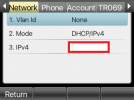
On your phone's screen, go to "Menu", then "Status".

Here you will see the IPv4 address
1638879717299.png
 
I've found it. I see that the firmware is v.2.4.2 instead of the 2.4.12 (indicated on 3cx link you gave to me). I must do the downgrade?
 
Yes, please proceed to install the one on our website, and when completed successfully, you must also factory reset the phone as per our guide.

Then it will be ready to use, and we can continue our troubleshooting from there.
 
I've done it (only the upgrade). Now the version is allineated. Now I'm resetting it...
 
Ok now lets check your LAN setup.

What IP does the SBC have, and what IP does the phone have currently?
 
I've resetted it, but I can't see it yet :-(
 
What IP does the SBC have, and what IP does the phone have currently?
 
local? The SBC 192.168.1.31 while the phone 192.168.1.5
 
If I try to unistall the SBC and reinstall it?
 
On what is the SBC installed now? a Windows PC?
 
Yes, windows 10 pro. The strange thing is that some day ago I've try an installation of SBC linked to another FQDN to do some test and It worked. Now, simply changing the SBC (unistalling the old, and reinstalling the new) it doesn't work more. Before, I could saw it, next, with the new SBC I can't see it (with the same phone)
 
It's possible that something went wrong with that Windows machine, and it cannot see the phone that is on the same network:

a) Things like some antivirus programs, or having more than one LAN card on the machine could potentially cause problems.

b) Also if there are other things installed (ie. this machine is not dedicated to only running the SBC) there could be something that interferes (reserving ports, or modifying/filtering the LAN config of this machine.

Are you able to install the SBC on a VM or a Raspberry Pi perhaps?
 
A strange fact has happened: if I connect the phone to the LAN and then to the PC where the SBC is installed (using the phone as a switch) I can find the phone in the list of phones, while if I connect the phone to another port of the network however does not find it. Why? It should be visible even if connected elsewhere on the same LAN, right? Now, once I find it and assign it to an user, it works elsewhere on the LAN as well.
I've tried with another phone and it happened the same things. I find it only with the procedure I done firstly. Am I doing something wrong?
 
It should be visible even if connected elsewhere on the same LAN, right?
Yes. This is evidence that your switch is blocking multicast.

Am I doing something wrong?
You just need to find out why your switch is blocking multicast messages.
Multicast is what makes the phone visible
If your switch does not support multicast then you will not have the ability to auto provision
https://www.3cx.com/docs/plug-and-play-ip-phone/#h.a3m1flcxj4o
 
I use the router directly as a switch.
 
Status
Not open for further replies.

Latest Posts

Forum statistics

Threads
112,156
Messages
591,013
Members
165,188
Latest member
Teemal