Provisioning Mobile

Status
Not open for further replies.

Smartway

Customer
Joined
Sep 25, 2019
Messages
23
Reaction score
1
what would cause provisioning file cannot be reached. when trying to setup 3CX on my mobile from the Raspberry pi
 
Hi @Smartway

Are you provisioning it using the QR code or using the 3cx config file that comes in the welcome email?
 
If external you need port 5001 or 443 (your https management port) portforwarded to 3CX server
 
Also note that the QR code changes depending where you generate it from:

From Welcome email:
it will contain FQDN which must resolve to your open HTTPS port

From Management console If logged in using FQDN:
it will contain FQDN which must resolve to your open HTTPS port

From Management console If logged in using local IP:
it will generate a link using the local IP. This does not work if the mobile is connected via a different network

So it really depends where the link is generated from, where the mobile is connected from and whether the correct ports are opened on the firewall as per this https://www.3cx.com/docs/ports/
 
  • Like
Reactions: apostolis_3CX
12537
Cant sent welcome email
 
On the notifications tab, check what email is defined there. Try a different one if possible
 
actually no, this might happen due to the previous issue you had.

The FQDN is still pointing at the IP of your other PBX machine and it does not match with the IP if your current machine.

Please ensure the other VM is offline/deleted and reboot your Raspberry to update its public IP.

If you do nslookup yourfqdnhere.3cx.co.za 8.8.8.8 then you should see the same IP as the PBX machine public IP. If not, then you will get 5.7.0 Denied
 
Server: dns.google

Address: 8.8.8.8


Non-authoritative answer:

Name: ****.3cx.co.za

Address: 41.*.3.

I do get the right reply . I have rebooted the pi.
 
If you click Settings > Network on the management console, under the External IP Configuration do you also see the 41. IP?
 
I am trying to paste a image for you see what i see but it wont allow me on PM
 
Was this resolved since Friday or are you still facing the issue?
 
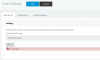
still having a issue. When resend welcome email it does get to my mail box12566
 
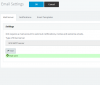
Ok the picture shows the issue is resolved. If the email reaches your inbox, use the QR code from in there to provision your mobile now.

Can you try and let us know?
 
Still no email. that was sent 30 minutes ago.
 
Does the SMTP test still work?
Can you use a different destination email address?
 
yes but no mail arrives
 
Ok in this case, I suggest to open a case here https://www.3cx.com/contact-form/

Choose category "cloud instances" and describe the issue there (that email is sent but never delivered) and tell us the email address that fails to receive the Welcome email so we can check to see what happens when the mail server sends it out.

Alternatively, if you have a pro license, you can define and use your own SMTP server.
 
Status
Not open for further replies.

Forum statistics

Threads
111,934
Messages
589,818
Members
164,810
Latest member
astrobalaji