- Joined
- Dec 16, 2019
- Messages
- 15
- Reaction score
- 1
I am running a cloud deployment of 3cx with a local SBC. Following the instructions here: https://www.3cx.com/sip-phones/yealink-t20p-t22p-t26p-t28p/
I am able to provision a specific extension, but only by entering the extension # and password on the phone.
When trying to provision for hot-desking, I am still getting prompted for a username and password. I don't know what to enter here, and even entering my ext/password doesn't provision the phone (says "Update skipped" after trying to provision).
Is this an issue with multicast? It seems like the phone is going through the procedure for RPS instead of PnP (as far as I can tell from the guide, PnP shouldn't ask for a username/password).
The phone appears in my 3cx management console after it is factory reset (as shown in attached screenshot). Nothing is being logged in the event log when the phone is factory reset/attempts to provision.
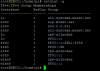
sip.mcast.net shows up when I run netstat on the SBC (as shown in attached screenshot).
Here is what I see in tcpdump on the sbc when I reboot the phone:
17:51:24.967351 IP 192.168.1.191.5059 > sip.mcast.net.sip: SIP: SUBSCRIBE sip:MAC*@224.0.1.75 SIP/2.0
Anybody have any suggestions/troubleshooting steps to help me figure out why I'm not able to set the phone up for hot desking?
I am able to provision a specific extension, but only by entering the extension # and password on the phone.
When trying to provision for hot-desking, I am still getting prompted for a username and password. I don't know what to enter here, and even entering my ext/password doesn't provision the phone (says "Update skipped" after trying to provision).
Is this an issue with multicast? It seems like the phone is going through the procedure for RPS instead of PnP (as far as I can tell from the guide, PnP shouldn't ask for a username/password).
The phone appears in my 3cx management console after it is factory reset (as shown in attached screenshot). Nothing is being logged in the event log when the phone is factory reset/attempts to provision.
sip.mcast.net shows up when I run netstat on the SBC (as shown in attached screenshot).
Here is what I see in tcpdump on the sbc when I reboot the phone:
17:51:24.967351 IP 192.168.1.191.5059 > sip.mcast.net.sip: SIP: SUBSCRIBE sip:MAC*@224.0.1.75 SIP/2.0
Anybody have any suggestions/troubleshooting steps to help me figure out why I'm not able to set the phone up for hot desking?