- Joined
- Sep 6, 2022
- Messages
- 4
- Reaction score
- 0
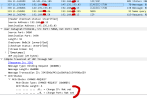
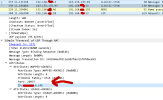
Our system was initially connected behind a firewall that did the PPPoE connection toward Belgian provider Proximus. The Firewall check worked fine. They now installed a fiber connection with a so called IP Box that does the SIP connection from and toward Proximus. The limited information we have states that you need to make a SIP connection on 5060 with any user or password (all are accepted). The registration works, but for some reason I get only one way audio (outgoing). Usually this is a firewall issue. The Firewall check now also fails, but the question is if this is relevant as all SIP traffic has to go toward the IP Box from Proximus.
I expect that we do something wrong with the NAT (due to the removal of the PPPoE connection). How should the NAT look like in this setup:
Static IP public IP address that is on our untrusted side known as 192.168.1.1/24. The firewall that previously did the PPPoE has IP address 192.168.1.2. The SIP IP BOX from Proximus has 192.168.1.3. This box has to stay on the "WAN" side as per requirement from Proximus. The 3CX is located on 192.168.xx.13/24. Internet works fine. Also the incoming VPN is working toward an internal VPN server.
I have tested several scenarios already but the behavior remains the same. Only audio when calling FROM the internal IP phones with the 3CX toward an outside number, but you don't hear anything internally from the external phone. Also the call seems not to end when hanging up. ALG is configure correctly (FW passed with PPPoE) and also the inspection on SIP UDP and SIP TCP is disabled.
The only think that works is when Proximus configures a trusted 192.168.xx.yy/24 IP on the IP Box and put a cable toward the LAN. This is a scenario we don't want because it is a bypass from the Firewall.
How would you configure this (NAT)? Likely we are missing some vital thing here.
I expect that we do something wrong with the NAT (due to the removal of the PPPoE connection). How should the NAT look like in this setup:
Static IP public IP address that is on our untrusted side known as 192.168.1.1/24. The firewall that previously did the PPPoE has IP address 192.168.1.2. The SIP IP BOX from Proximus has 192.168.1.3. This box has to stay on the "WAN" side as per requirement from Proximus. The 3CX is located on 192.168.xx.13/24. Internet works fine. Also the incoming VPN is working toward an internal VPN server.
I have tested several scenarios already but the behavior remains the same. Only audio when calling FROM the internal IP phones with the 3CX toward an outside number, but you don't hear anything internally from the external phone. Also the call seems not to end when hanging up. ALG is configure correctly (FW passed with PPPoE) and also the inspection on SIP UDP and SIP TCP is disabled.
The only think that works is when Proximus configures a trusted 192.168.xx.yy/24 IP on the IP Box and put a cable toward the LAN. This is a scenario we don't want because it is a bypass from the Firewall.
How would you configure this (NAT)? Likely we are missing some vital thing here.