PWA uses Windows default sound input, not the 3CX mic setting

SteveITS

3CX MVP
Silver Partner
Advanced Certified
Joined
Jun 20, 2018
Messages
4,428
Reaction score
2,159
A coworker and I noticed this today. He uses the PWA from Edge and I use Chrome PWA, and two different headsets. This is a relatively new symptom, as in, he thinks it was fine last Thursday. (my default in Windows was the headset mic so harder to say when it started for me)

To sum up, with 3CX PWA set to use a headset as the Microphone setting, the PWA is actually using the Windows default mic setting.

We can replicate this:
  • set Windows to use the headset mic
  • start a call, verify headset mic is being used
  • park the call (to let go of the audio)
  • set Windows to use the webcam mic
  • pick up the parked call
  • the call is now using the webcam mic even though 3CX is using the headset
Or phrased differently, set Windows to use the webcam mic, start a call in 3CX PWA, and it will not use the headset mic as configured.

I'm wondering if there was some Chromium update to trigger this? Looking to see if others have noticed...

3CX v20u6.
 
Hi! +1 @SteveITS
The same issue here has caused many problems with our call centre. Agents use various headsets like Jabra and Plantronics, and everyone uses PWA. The mic selection in PWA does not switch to the headset mic during calls; it defaults to the internal microphone of the computer. Agents did not realise this during headset tests *777 because their voice was still captured by the internal mic, resulting in poor quality for customers. I checked by touching the microphone on the headset, and yes, the active mic is still the computer microphone. This issue has led to many poor-quality calls because the computer mic picks up all the noise and other agents' voices, which is risky if they discuss confidential matters.

What i found as a solution is i go to more volume settings in windows and press DONT ALLOW button for the others mics in the system and keep only headset mic as allowed. then restarting the PWA solves the issues.

It happens both in Edge or Chrome. I did not try with the windows app since we will not use from app.

I hope there would be a solution for this because making these setting with lots of agents is a nightmare.
 
Same thing happening for many of my clients. I have been migrating them to Windows app, but this might not always be the best approach for all customers.
 
Can you clarify whether selecting the mic in Chrome (Edge) works for you? If you're logged in on the PWA you should already be logged in if you open the web client in Chrome.
 
Hi all, give this a day or two :)
 
  • Like
Reactions: KyriacosS_3CX
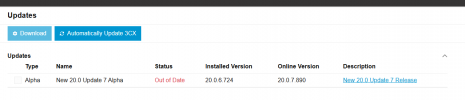
Hi. I have not installed the previous alpha updates. Should I update the previous alpha , beta , RC1 and RC2 versions one by one and then install RC3 finally to have this update for the microphone issue?

1760111925113.png
 
Yes you need to update (edit: through all the versions) in order to get to RC3. Or wait probably a few days (?) until it is released.
 
My coworker says every time he relaunches the PWA it reverts the audio options in the PWA to match Windows' defaults. I am not able to replicate this.

This issue seems fixed to me in limited testing this morning.
 
Are you on the same version of windows/browser etc etc? I seem to recall one of you was Win10? We can no longer duplicate the issue here, Chrome or Edge.
 
He's the one on Win10 still, on that specific PC.

Note this is a "new" symptom from him...he's saying the PWA isn't remembering the choices made. He says it's not in incognito/private. (he's quite experienced so it's not a reporting skill issue...his symptoms seem to be changing over time. which is not ideal for troubleshooting obviously)
 
I'll just blame MS trying to shift people of W10... As you mention, tough to troubleshoot and with it being a W10 thing from the looks of it, we might need to see if it's a more widespread thing first.
 
  • Like
Reactions: SteveITS
We have also observed a similar challenge with the PWA client, primarily with EPOS headsets on version v20U5. It should be noted that this has not been a consistent issue across all users, and our Windows clients have not exhibited the same behavior.

Our production environment comprises approximately 400 users, of which only a small group of around 10 users are located in our test laboratory on a separate 3CX installation. Both environments are now running version v20U7. We have found that by consistently selecting the EPOS headset in 3CX while simultaneously setting EPOS as the default audio device for Chrome in Windows’ sound settings, the issues do not occur. This approach appears to be a stable solution for us thus far.

We therefore recommend ensuring that the audio settings in Windows match the selections made in 3CX to avoid this type of microphone synchronization problem.
 
@JIX IT The original mic selection issue should be fixed in update 7...it's not fixed for you?

Are these Windows 10 or 11 computers?