Question about license payment/upgrade

Status
Not open for further replies.

Andriy

Forum User
Advanced Certified
Joined
Apr 14, 2018
Messages
183
Reaction score
16
Hello,

I am using 3cx Express (hosted by 3CX (not Google or AWS)). I have a free license.
I have received an email saying that maintenance license is expiring. I think I was using a trial version and after 1 year i will have to use a paid one.

Could you please let me know what license should I use and how much will it be (annually) to keep what I have. Should i just pay for Maitenance license or for an Annual license (Standard) ? or both?
Also, i do not need 16 simultaneous calls. 4 is enough.
Can i downgrade if this makes this license cheaper?

3CX Version: 15.5
Licensing: Annual
Edition: Standard
Number of Calls: 16
Maintenance: 15 days remaining

Thank you
 
You can get a 4SC Standard license for free, if that suits your needs. Otherwise, pick the license you want and purchase it.
 
  • Like
Reactions: Evolute IT
You can get a 4SC Standard license for free, if that suits your needs. Otherwise, pick the license you want and purchase it.

Actually the new licensing model will be free for 8SC Standard.

Can i downgrade if this makes this license cheaper?
Get the free renew, you will have enough of it.
 
  • Like
Reactions: Lee Cramman
Thanks for your replies!
Get the free renew, you will have enough of it.

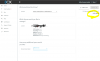
Could you please let me know how do i renew for free license? When trying to renew from my account page - I only have paid option - and it is 675$ (check the screenshot)

And do I still have to purchase Maintenance plan after 1 year, (even with free version) ?

Thank you
 

Attachments

  • 1.PNG
    1.PNG
    49.9 KB · Views: 11
Thanks for your replies!


Could you please let me know how do i renew for free license? When trying to renew from my account page - I only have paid option - and it is 675$ (check the screenshot)

And do I still have to purchase Maintenance plan after 1 year, (even with free version) ?

Thank you

Try using the "Upgrade" option, then select 4SC (or 8SC if that's the minimum). It should show a price of 0.

As far as I know, it works. It did it recently for a client.

Please note that with the upcoming release of v16, the licensing will change and the Standard edition will lose Call Recordings and a couple more features (no one knows exactly yet). Current Standard users should be upgraded to Pro automatically to keep those features.
 
Try using the "Upgrade" option, then select 4SC (or 8SC if that's the minimum). It should show a price of 0.

As far as I know, it works. It did it recently for a client.

Please note that with the upcoming release of v16, the licensing will change and the Standard edition will lose Call Recordings and a couple more features (no one knows exactly yet). Current Standard users should be upgraded to Pro automatically to keep those features.

Thank you.
That worked, until i have to input my address at checkout. No matter what i put in both address fields - i am getting ERROR "No street specified".

Did you have similar issues?
 
Thank you.
That worked, until i have to input my address at checkout. No matter what i put in both address fields - i am getting ERROR "No street specified".

Did you have similar issues?

Actually no, but I am a Partner so DM me and maybe I can get it working on my end with the Partner Portal.
 
  • Like
Reactions: Andriy
They seem to have bugs right now. I can't get a licence to give me the downgrade nor upgrade price for 4SC/8SC. It starts working at 16SC. However, I can get the Pro upgrade to 4 and 8 SC pretty cheap.
 
  • Like
Reactions: Andriy
Thank you so much.
I will try tomorrow!
 
  • Like
Reactions: Evolute IT
Hello,

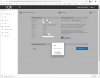
No matter what I do I am getting this error - "Street is not specified"
I attached a screenshot. Any ideas how to fix this please?

Thank you
 

Attachments

  • 3cx.fw.png
    3cx.fw.png
    125 KB · Views: 6
Hello,

No matter what I do I am getting this error - "Street is not specified"
I attached a screenshot. Any ideas how to fix this please?

Thank you

I think it doesn't like an address without a civic number. You might wanna try just putting a 1 in front of it.

If it still won't let you, hit me in private message and we'll see what I can do from my end (I am a 3CX Partner).
 
Hello,

I tried to add numbers in front - but still with not success.
 
  • Like
Reactions: Evolute IT
Let's talk about this in private.
 
@Andriy
I kept getting the Street is not specified error when I was trying to renew my license. I called into support and they informed me, their cart uses Google Autofill to verify your address. So when you start typing in your address, you actually have to click the pop-up address instead of typing it all in yourself.
 
Thank you, Scott!

The problem is my address does not show up. Totally different cities. Seems like Google Autofill does not work for japan. Should I input a fake address? Will i get in trouble for that?
 
Hello @Andriy

Please send me a p.m. so we can further look into the issue.
 
Status
Not open for further replies.

Forum statistics

Threads
111,915
Messages
589,713
Members
164,785
Latest member
Texas Clay -