Queue Caller ID

Status
Not open for further replies.

IliasSp

Customer
Joined
Dec 30, 2020
Messages
4
Reaction score
0
I'm attempting to integrate a windows desktop app to show the user who's receiving an inbound call through a Queue the contact data of the caller.
This should take place on ringing or even immediately after answering the call. I've tried CDR and CRM Journaling/contact creation with MSSQL provider with no luck because both act after the call ends. The CFD intercepts the call before the queue but then it lacks the agent extension since the call is not yet routed.
The closest I got was with the default CRM Integration Lookup behavior that triggers a url but our app is desktop based so it's unusable. Even if I could make it an api call the only information available is the Number and I also need the agent.
Can anyone point me to a viable solution to extract both the CALLER'S NUMBER and the RECEIVING EXTENSION from the 3CX system? Our api is versatile and can be notified by any means: mssql statement, message brokers, http request, carrier pigeon :)
Thank you!
 
I'm attempting to integrate a windows desktop app to show the user who's receiving an inbound call through a Queue the contact data of the caller.
This should take place on ringing or even immediately after answering the call. I've tried CDR and CRM Journaling/contact creation with MSSQL provider with no luck because both act after the call ends. The CFD intercepts the call before the queue but then it lacks the agent extension since the call is not yet routed.
The closest I got was with the default CRM Integration Lookup behavior that triggers a url but our app is desktop based so it's unusable. Even if I could make it an api call the only information available is the Number and I also need the agent.
Can anyone point me to a viable solution to extract both the CALLER'S NUMBER and the RECEIVING EXTENSION from the 3CX system? Our api is versatile and can be notified by any means: mssql statement, message brokers, http request, carrier pigeon :)
Thank you!
The DesktopApp available in U3 Beta has the feature to run an external application and send the caller number to it. Then, all you need to do is manually set the extension for each person's DesktopApp, since that config is saved locally and not on the server.

If you have HTTP requests, you can also use the "Open Custom URL" and use the same principles.

Like "myapp.com/lookup?phone=%CallerNumber%&agent=201".
 
  • Like
Reactions: edossantos
Wonderful development! I'll upgrade the soonest possible and apply your suggestion. Thank you. The extension can be procured from the C:\Users\%username%\AppData\Roaming\3CXDesktopApp\config.json file or maybe there's a more direct way?
Do you know if the new DesktopApp has a more complete approach to making calls instead of just filling the number in the dialer when calling the exe with tel: or callto: arguments? I'm waiting something like it in order to get rid of the v16 client which I'm forced to use due to the CallTriggerCmd.exe
 
The DesktopApp available in U3 Beta has the feature to run an external application and send the caller number to it.
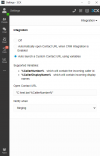
I upgraded to v18.3. I don't seem to find any documentation on the new feature of the Desktop App mentioned in the v18.3 release notes "Launch external 3rd party programs on incoming ringing or connection"

Tried the following with no success:

1646645554405.png
 
From the Desktop app you can only launch an URL. In order to execute a local program, you need to use the old 3CX client for Windows.
 
From the Desktop app you can only launch an URL. In order to execute a local program, you need to use the old 3CX client for Windows.
The newest version of the DesktopApp has the Launch External App, under Settings > Audio/Video > Scroll down.
 
  • Like
Reactions: edossantos
So there it was! :)
Thank you for the pointer. This feature is very useful.
 
Status
Not open for further replies.

Latest Posts

Forum statistics

Threads
112,323
Messages
591,896
Members
165,473
Latest member
NathanMitchell