Queue Playlist not in order

Status
Not open for further replies.

Owen Last

Forum User
Joined
Nov 8, 2017
Messages
40
Reaction score
6
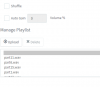
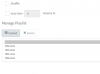
I've created a queue playlist as we want to introduce messages while the customer waits - problem is, i've arranged 15 wav files in order (labelled 1-15) and they aren't being sorted, or played, in order.


13302
 
this is not a 3cx problem, just your naming convention is not good. windows is ordering in alphanumeric so for example 12file.xxx will be sorted before 2file.xxx because first number 1 is previous to 2

Start like this
part001.wav
to
part015.wav
 
Last edited:
  • Like
Reactions: Evolute IT
I'll give that a try thank you - however with that sense part6 shouldn't be above part15!
 
no difference;

13307
 
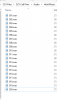
is your windows folder sorted in good order before sending in 3CX?
do you have files ordered from 001.wav to 015.wav ?

If so then probably PBX uses another fuzzy logic who escape human understanding to sort files
 
Yeah they're stored in a dedicated folder in Windows - wondering if, as the files are importing into a Linux install, that there's a problem there somewhere?

Appreciate the "amended" dates are different but it's not following that logic either.

13309
 
just noticed it also doesn't even play them in the order that it shows them in either - we want it to play 1-20 on every call
 
How are they imported in 3CX using raw copy on linux partition or from PBX console

Have the wav files been created same date , may be they are sorted with a mix of file name and date of creation
 
Last edited:
using 3CX console;

Settings -> Music on Hold -> Playlists -> Add
 
Status
Not open for further replies.

Latest Posts

Forum statistics

Threads
111,934
Messages
589,821
Members
164,813
Latest member
divdigital