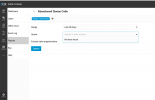
Queue Statistics report not show any Queue

Status
Not open for further replies.

PhuHungLife

Customer
Joined
Sep 19, 2022
Messages
2
Reaction score
1
Hi 3CX support,

I'm running 3CX v18, it not show any number on Queue when I export reports, we've grant permission for one extension is manager one Group, because if I grant it can access to Management Console, it can read everything Chat logs, this is reason I grant one extension is manager one Group and don't enable it access Management Console. Pls guide me how to export abandoned queue report. Thank team.
1710836133289.png
 
  • Like
Reactions: Leonardo Faria
If the queue doesnt show up in there when you send it to group, then you'll need to delete it and recreate it via the client admin for it to be visible.
 
  • Like
Reactions: PhuHungLife
If the queue doesnt show up in there when you send it to group, then you'll need to delete it and recreate it via the client admin for it to be visible.
Thank for your answerd.
Your mean is login WebClient with userid is admin, then created new queue at WebClient?
 
youre using to the new interface in the web client and i imagine your Q was legacy before the introduction of this new feature. Therefore, recreate your queue via the admin console of the 3cx client.
 
Hello! I'm having exactly the same problem. The user is part of the queue and has the permission level as manager, however when using the Queue Statistics field the Queue does not appear to be selected and therefore it is not possible to see the information.

I created a new queue and the problem remained, not showing the option to select the queue.
 
I'm still validating, but apparently the problem was resolved when upgraded from version v18 to v20.
 
Status
Not open for further replies.

Members Online Now

Forum statistics

Threads
111,843
Messages
589,328
Members
164,679
Latest member
SamadMYK