- Joined
- Feb 7, 2025
- Messages
- 19
- Reaction score
- 1
Hi all,
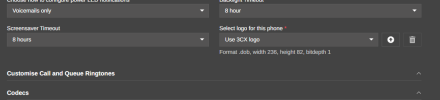
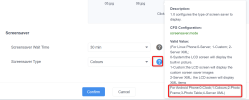
I am currently troubleshooting an issue where I am unable to change or turn off the default rainbow screensaver that will pop up.
Our system utilizes custom templates in order to apply our logo to the background, among other things. I have been trying to play around with it so that I can either place that logo onto the screensaver or disable it altogether. So far, I have had no luck in either direction.
If you guys could point me in the right direction, please let me know.
Thank you.
I am currently troubleshooting an issue where I am unable to change or turn off the default rainbow screensaver that will pop up.
Our system utilizes custom templates in order to apply our logo to the background, among other things. I have been trying to play around with it so that I can either place that logo onto the screensaver or disable it altogether. So far, I have had no luck in either direction.
If you guys could point me in the right direction, please let me know.
Thank you.