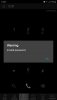
Random IP Blacklist message on mobile devices

Status
Not open for further replies.

refocusit

Silver Partner
Advanced Certified
Joined
Oct 17, 2018
Messages
15
Reaction score
1
Some background: I've recently migrated all of my legacy customer 3CX systems (already on v16 latest update) from a physical hosted environment to AWS. I already had all other customers running on AWS for months, so I know that is not an issue.

I now have a few random users that access different systems via mainly the Android app that keep getting the "Warning You IP has been blacklisted" message.The strange thing is that I do not see any blacklisted IPs in the IP Blacklist under security.

The phone actually still works after the message pops up which is even stranger.

These users are connecting from various types of internet connections ranging from 3G, LTE, Fibre (Via wifi), Wireless internet,...

I've already asked them to delete the config then uninstall the app. I then regenerated the account passwords to send them a new welcome email which they used to configure the mobile device after installing the latest version of the app.

The phones works for a while and then after a few hours or even day the message pops up again with no blacklisted IP on the 3CX server. This message pops up all the time, but the 3CX app still works.

I initially had the "Automatic Global 3CX IP Blacklist" enabled on these system after the migration. I've now switched this off thinking that it may have something to do with the issue then restarted the system. The issue is still occurring.

Is it possible that I need to flush some sort of local blacklist database as a result of the above feature?

I'm completely at a loss here seeing that I only have maybe 5 people that have reported this over about 10 system that were migrated.
 
Hi,

Do they have multiple 3CX accounts on their device?

Are we talking about a PBX that has only FQDN (for both in office and out office registrar) or has only a public IP?
 
Hi, Thanks for the reply.

The users only have a single config on their devices.

Yes it's a PBX hosted on AWS. Users only connect via FQDN over the internet, no LAN connection are available to the PBX.

The systems were deployed with bpxexpress. I then restored a backup of the old system to the newly deployed instance.

I followed the same procedure for my own PBX 2 days before these two migrations and I don't have the same issue.

One of the systems has about 80 users, but only 3 get this issue all the time.
 
Let's look at one user as an example.

Firstly, if they go to their app settings, tap on Accounts, the tap on manage account, they should see 2 fields that are of importance:

1. Local PBX: you would probably see the LAN IP of the PBX they belong to
2. External PBX: you would probably see the FQDN of the PBX they belong to


When a user faces the issue, can you tell what type of machine at their current network may happen to have the same LAN IP as above?

Hope this makes sense :)
 
The example user that I'm testing with now is connected to a home network on 192.168.8.105. It's not the same subnet as the LAN IP of the PBX.

There is no one else on that network that connects to the PBX either.

I asked the user to reboot and completely reconfigure the app and extension of a brand new welcome email. This time round the PBX added the IP to the blacklist and the admin email said it was the incorrect logon details.

I asked them to send that email to me to allow me to test it and it worked perfectly.

I then added their public IP to the whitelist and asked that they reboot. They got the same message, but the IP wasn't added to the blacklist again...

I've asked them to test from either the mobile provider network or a neighbor wifi.

Just mentioning again the same happens with a few users from another company on another PBX.
 
Just mentioning again the same happens with a few users from another company on another PBX.
Understood, but we should pick one user to investigate with, and then address the rest depending on what we find.

If we create a brand new extension (leaving all settings default), and ask the user to delete their existing extension and only provision this new one, can know if the new extension also get the blacklisted message?
 
I'll ask the user to do the above, but in the mean time another update.

The user connected the phone to the mobile provider network then received the attached message before once again being blacklisted.

Logic says she must be using the incorrect QR code, but I use the exact same one and it works for me.error.jpeg
 
I created a brand new extension. Same issue for that user. The extension works on my phone on my own network.

This time it didn't even block an ip address. There are no blacklisted IPs on my system.

I'll have to leave the testing till Monday as the user has stopped working for the day.

Thanks for your help thus far.
 
I have discovered that this issue is DEFINITELY related to the public IP range that the traffic is coming from hence I believe it may be caused by the Automatic Global 3CX IP Blacklist feature.

I enabled this feature for all of the system that I migrated to AWS. In fact it was the first setting I disabled when I started getting this issue, so most of these systems now have this feature disabled.

Some evidence that I've gathered in recent days:
  • My test user from above connects her phone to a home LTE router for internet access then gets the IP blacklist error. She still receives calls and can make outbound calls, but the message keeps coming up. Her status is disabled.
  • This same user disconnects from the home router to use 3G/LTE on her phone then gets the same issue in the area where she stays. Please note same service provider as the home router.
  • Her husband's phone that has never used the 3CX system before has the asme using when testing on the home router and mobile phone's 3G/LTE. Again sames service provider.
  • The test user does not have the same issue when connecting her phone to the office fibre network about 10 KM away from her house.
  • The test user does not get the same issue on 3G/LTE at her office.
  • I found out today that all users that have this issue have mobile phone contracts with the same service provider and stay in that same general area.
  • In fact when I traveled to that area today to assist with other IT issues I discovered that my own mobile phone that happens to be on the same service provider also received the blacklist warning and my status changed to offline, but I could still make and receive calls. I'm on the same phone service provider as they are.
This is clearly something specific to that area / mobile phone tower / IP range linker to that ISP in that area?

So I'm thinking is there any way that the IP range that ISP provides in that area is part of a large range of global black list IPs on the 3CX blacklist database?

If so why does the issue not go away when I untick the setting? Is there a way "flush" the local 3CX blacklist database on these instances?

This is affecting three 3CX instances on difference public IPs on AWS, so it''s not related to a physical device or extension.

I'm grasping at straws here, because I have customers that are struggling to use a system that is suppose to save their businesses now more than ever.

Thanks
 
Any update on this we have the exact same issue here.
 
Most of my users that had this issue were eventually fixed by uninstalling, reinstalling and re-configuring the app on he phone, but I still have a few people who are experiencing this issue. It's very possible that others just haven't reported the issue again.

The issue is apparently related to the speed that and ISP (mostly mobile providers) recycle the public IPs on their internet service. 3CX's blacklist service believes that the rapid change of IP address may be an attack and then blocks the IP.

I understand the logic, but in some cases this completely disables the 3CX service for some users.
 
Status
Not open for further replies.

Forum statistics

Threads
111,954
Messages
589,919
Members
164,851
Latest member
DrunkeMeister