Recordings archiving

Martin N.

Premier Customer
Joined
Jun 24, 2021
Messages
62
Reaction score
6
Hello guys,

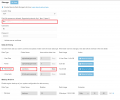
just wanted to ask you as from the settings its not 100% clear, when the archiving is triggered on pbx? Is it at the same time once scheduled backups are triggered? Because today and the day before it has been performed at all on our pbx...I ve changed the time schedule two days ago for scheduled backup and since then no archivation performed...

Many thanks!
 
Capture.PNG
 
Once a day all recordings that are older than specified will be moved to the subfolder of the main location set above. No connection to the scheduled backup at all.
 
I do have there only older than 1 day, but unfortunately it hasnt been performed, I needed to run it munally. I will check logs why.
 
Check 3CXSystemService.log, filter by RecordingCleanup.
 
System.NullReferenceException: Object reference not set to an instance of an object.
at _3cxSystemService.RecordingCleanup.DeinitRecordingData()
at _3cxSystemService.RecordingCleanup.Cleanup(IRemoteStorageService storage, Boolean manual, CancellationToken cancellationToken)
at _3cxSystemService.CleanupJobBase.Execute(IJobExecutionContext context)
2024/11/08 10:51:40.330|0072|Erro| [CDR] failed to open CDR output OutboundTCP@*IP*:9050
 
Hello, we need to outsource the recordings made on the 3CX server (Debian 12 V20) immediately after the call ends.
Currently, 3CX only allows outsourcing every 24 hours at a minimum.
I see that the Debian directory is: var/lib/3cxpbx/Instance1/Data/Recordings.
Is there any way we can access this directory to externalize the recordings without needing to install an SMB or FTP server? Another option I was considering is installing the 3CX server on Windows, as file sharing would be easier that way. The new API does not allow this service.
What experience do you have with this?
Thanks
 
Hello, we need to outsource the recordings made on the 3CX server (Debian 12 V20) immediately after the call ends.
Currently, 3CX only allows outsourcing every 24 hours at a minimum.
I see that the Debian directory is: var/lib/3cxpbx/Instance1/Data/Recordings.
Is there any way we can access this directory to externalize the recordings without needing to install an SMB or FTP server? Another option I was considering is installing the 3CX server on Windows, as file sharing would be easier that way. The new API does not allow this service.
What experience do you have with this?
Thanks
Immediate recording archiving is going to return in U5.
 
Actually I did setup a cron with rsync service and its working like charm, but its not most probably official solution for archive...
 
If you need immediate archiving now, take a look at 3CX Recording Manager for V20.
Thanks.
It's necessary to install any additional service on the Debian operating system where 3CX is installed? Or can it simply access the local 3CX recordings directory? (/var/lib/3cxpbx/Instance1/Data/Recordings)
 
Actually I did setup a cron with rsync service and its working like charm, but its not most probably official solution for archive...
Thanks.
Yes, but then you need to run a service within the operating system, and 3CX doesn’t provide support for that.
 
Actually I did setup a cron with rsync service and its working like charm, but its not most probably official solution for archive...
Hello,
Could you provide me with an example of a cron job?
 

Forum statistics

Threads
111,956
Messages
589,927
Members
164,859
Latest member
MichaelRussell3