- Joined
- Sep 28, 2023
- Messages
- 15
- Reaction score
- 1
Hello there,
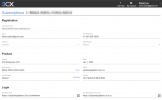
As a partner I received 2 NFR licenses, I used the primary one for myself and I setup the secondary one for one of my client as a demo, only to find out I cannot change that after I secured the customer on their own FQDN.

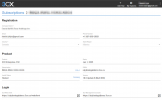
How can I release this FQDN and deploy the instance as new to demo for my next client please?
I can't seem to find there to either delete this system or to release the FQDN.
Thanks in advance
As a partner I received 2 NFR licenses, I used the primary one for myself and I setup the secondary one for one of my client as a demo, only to find out I cannot change that after I secured the customer on their own FQDN.
How can I release this FQDN and deploy the instance as new to demo for my next client please?
I can't seem to find there to either delete this system or to release the FQDN.
Thanks in advance