


- Joined
- Mar 22, 2019
- Messages
- 9
- Reaction score
- 0
Hello,
I just migrated my 3cx environment from version 15.5 to version 16.
(by saving the configuration / uninstall / install / restore)
When I do a webmeeting and I want to take remote control of a participant, the participant receives a request to confirm the control (the 3CX remote control is already installed on the computer).
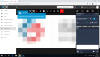
When it validates, nothing happens. On the organizer side, there is still a message in a blue box "Waiting for X to accept your remote control request".
The workstations are on the same IP network as the 3cx server, no internal firewall for testing, full internet access (no proxy, no rules to block).
Have you encountered the same problem ?
I just migrated my 3cx environment from version 15.5 to version 16.
(by saving the configuration / uninstall / install / restore)
When I do a webmeeting and I want to take remote control of a participant, the participant receives a request to confirm the control (the 3CX remote control is already installed on the computer).
When it validates, nothing happens. On the organizer side, there is still a message in a blue box "Waiting for X to accept your remote control request".
The workstations are on the same IP network as the 3cx server, no internal firewall for testing, full internet access (no proxy, no rules to block).
Have you encountered the same problem ?


