Remote Control not showing screen on VmWare/Omnissa Horizon VMs

in.windows

Customer
Joined
Oct 27, 2022
Messages
15
Reaction score
3
Hello!

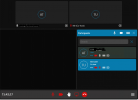
We have faced with the issue of 3CXWMRemoteControl shows black screen in video conferencing from VmWare/Omnissa Horizon VMs.
This was working good on 3cx V18 and now after upgrade on V20, update of 3CXWMRemoteControl was asked and the only black screen is shown from VM.

There are no problems when physical pc is showing screens in the conference, problem only with VmWare/Omnissa Horizon 8 VMs.


3cx server version: 20.0.5.551
3CXWMRemoteControl: 20.0.1.37537 (installed for all users on VMs)
VM Guest OS version: Windows Server 2022 build 20348.3328
VM Infrastructure: VMware Horizon 8.13 Version 2406

P.S. Presentation mode still working correctly
 

Attachments

  • 3cx.png
    3cx.png
    103.4 KB · Views: 7
Hi there,

As a first step and just a step for sanity, could you please uninstall the Remote Control application and retry going through the install and usage steps?
 
Hi there,

As a first step and just a step for sanity, could you please uninstall the Remote Control application and retry going through the install and usage steps?
Already reinstalled, then deleted all users version, installed in %appdata% for a user without /silent and /allusers flags, nothing helps. Found old version from V18 server, installed, but the only way to launch remote control is to update to actual, no way to launch old remote control app with v20 server
 
Hi,
the remote control app is independent from the version of pbx.
The version 20.0.1.37537 is the correct one, the only that can be used now.
Trying to use an old version will ask for the update.
It has been updated some time ago, so it is strange that you didn't be forced to update already.

One of the big differences from the past versions is that all admin priviledge of rc has been removed, so it is possible that not all windows are currently visible or controllable.
Trying to control or view some admin windows like task manager could be not possible for some user, depending on his rights.
Are you trying to use ther rc from a the vmware guest vm or from the client pc that control the vms?
 
  • Like
Reactions: NatalyS_3CX
Hi,
the remote control app is independent from the version of pbx.
The version 20.0.1.37537 is the correct one, the only that can be used now.
Trying to use an old version will ask for the update.
It has been updated some time ago, so it is strange that you didn't be forced to update already.

One of the big differences from the past versions is that all admin priviledge of rc has been removed, so it is possible that not all windows are currently visible or controllable.
Trying to control or view some admin windows like task manager could be not possible for some user, depending on his rights.
Are you trying to use ther rc from a the vmware guest vm or from the client pc that control the vms?
Yes, assisting from vmware vm to vmware vm works as expected with the help of SCCM remcontrol (CmRcViewer.exe), Windows remote assistance (msra), and quick assist.

3CXWMRemoteControl, when launched on physical pc, renders the screen to 3cx video conference, so on VM, this session is seen in browser, but not vice versa.

I am trying to get into conference from VMs guest OS and then to launch 3CXWMRemoteControl to get assistance from other participants, but they see the only black box in their browser, but the view for them in a conference is switching between participants view, to presentation view, just the box of presentation is black without remote screen actual state transmitted.
 
Last edited:
I have checked, that even you need to update old version, after push on update button, and browser downloads new new version, it is not needed to install the new, just push on "launch" after and the old version is switched on, and then everything works correctly, screen state is transmitted and remote control performed. So the problem is only in new version.
 
Hi,
the old version you are using is not supported anymore and we suggest to use the new one.
We know that it has more limitations than the old one, but it is updated from the security point of view.
 
  • Like
Reactions: NicholasP_3CX
Hi,
the old version you are using is not supported anymore and we suggest to use the new one.
We know that it has more limitations than the old one, but it is updated from the security point of view.
Hello, does this mean that updating the security stopped screen capture on VMware Horizon View VMs and nothing would be done as an alternative, nor next updates of 3CXWMRemoteControl would be capable to capture the screen on "so specific" environment?
 
Hello, does this mean that updating the security stopped screen capture on VMware Horizon View VMs and nothing would be done as an alternative, nor next updates of 3CXWMRemoteControl would be capable to capture the screen on "so specific" environment?

Hi,

Yes unfortunately the security update to the remote control application has made it impossible to use it in windows environments with specific user/admin right restrictions. The application likely needs rights elevation in order to work on your environment.

By default with the older application we install a service which has elevated permissions which itself starts the Remote Control app with elevated permissions in order for it to work. In the new version the service has been removed as a security precaution and so default elevation is not possible especially if also Chrome who is what launches the app is also not running with elevated permissions.

This part is tricky in terms of security and so we don't plan on spending development time on it for the foreseeable future.
 
Last edited:
Hi,

Yes unfortunately the security update to the remote control application has made it impossible to use it in windows environments with specific user/admin right restrictions. The application likely needs rights elevation in order to work on your environment.

By default with the older application we install a service which has elevated permissions which itself starts the Remote Control app with elevated permissions in order for it to work. In the new version the service has been removed as a security precaution an so default elevation is not possible especially if also Chrome who is what launches the app is also not running with elevated permissions.

This part is tricky in terms of security and so we don't plan on spending development time on it for the foreseeable future.
Thank you for clarification.

I am local admin of VM, where Web conference is launched. Tried to launch with admin rights in Edge then Chrome, and then to launch preinstalled 3CXWMRemoteControl, then additionally changed the compatibility of 3CXWMRemoteControl.exe to start with admin rights with no success. Still black box. Seems, that there are lot of other Microsoft recommended Windows hardening restrictions, whose implemented on VMs could affect the aсtual 3CXWMRemoteControl version to capture the screen properly...
 

Latest Posts

Forum statistics

Threads
111,973
Messages
590,075
Members
164,895
Latest member
jasonkkrause