Remove spaces or other characters from outbound caller ID

Status
Not open for further replies.

alexdb

Forum User
Advanced Certified
Joined
Jun 6, 2019
Messages
32
Reaction score
10
My issue is identical to an existing thread however it has been closed.

https://www.3cx.com/community/threads/remove-spaces-in-outbound-trunk-rules.64418/

End users can set a forward via the web client. The field for the forwarded number allows the user to enter non numeric characters (such as spaces). These are then passed to the SIP provider as-is. The problem is our SIP provider does not allow these characters so the forward will fail even though the number is correct.

I have looked at CID reformatting however there doesn't seem to be a way to replace *any* character that matches a certain criteria.

The linked thread does not have a solution from what I can see.

Any ideas?
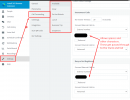
 

Attachments

  • outbound caller ID.png
    outbound caller ID.png
    47.8 KB · Views: 32
While I agree, that, ideally, input to the field should only allow numeric characters, (other than perhaps a "+"), it sounds as if this issue might be minimised, in the meantime, through user training.
 
User training is a bit of a cop out. You could say that about any issue/bug.

Does anyone know of a solution for this?
 
Unfortunately that also will not work - as only some users will have spaces - and I cannot guarantee what position the spaces will be as these are user editable fields, e.g:

0412345678
04 1234 5678
04123 45678
0 412 345 678
etc...
 
In that case, as mentioned before me, "user training" is the way to go for now.
 
This has gone from a "forwarded" number issue, to a Caller Id number issue, because using the CID reformatting was mentioned in he initial post. Unfortunately, user error, when forwarding a number, makes up a very significant number of trouble tickets on PBXs and Centrex systems. This happens because, unlike residential forwarding, a "verification call" (most times), does not have to happen. A person enters a number, then walks away, assuming that they put in the correct number. Because people are using a keyboard, in this case, there is a tendency to "format" the number in a way that looks correct. As we have all found, when filling out information, on a website, that does not always work because certain characters/formats are not acceptable. Until 3CX is able to provide an error message when the phone number is submitted, when forwarding, you will simply have to inform people of how to enter the information. Most people won't make the mistake twice.
 
Just to update on this, in V18 we will be adding some validation in certain fields so that space characters aren't allowed that can 'break' SIP messages.
 
  • Like
Reactions: leejor
Status
Not open for further replies.