Solved rescheduling issues - meetings in the past disappear from the web client meeting list

Status
Not open for further replies.

coreybrett81

Free User
Joined
Jul 25, 2012
Messages
246
Reaction score
30
I have some users having the following issue on a regular basis.

They create a web meeting in the client and use the Desktop Outlook option for the calendar.

At a later date, they decide to push the meeting forward in Outlook and all their invites get that notification without an issue.

However, when it's time to start, the meeting is no longer listed in the web client and if they try to use the link in their calendar, it says that the meeting has not started yet.

Is there a way to keep past meetings listed?

Or is there a way to get the Click2Meet feature to allow multiple guests into the same meeting?
 
I just ran into that also. Future meetings will stay around and can be used ahead of time. Past meetings are removed, and rescheduling in Outlook doesn't change it in 3CX. It seems the current correct method is to delete and recreate the meeting instead of rescheduling. Perhaps one could combine the two by recreating in 3CX, obtain the non-organizer joining URL, and updating the meeting in Outlook.

It would be helpful/clearer if the organizer URL and non-organizer URL were both listed in 3CX after creating the meeting, because it's really not obvious the one code being shown has a different purpose. (if the organizer clicks the code in their Outlook meeting, they join as an attendee)
 
This is a real pain point for us.

If past meetings would remain listed for 60 days or so, that would be a real help.
 
It would be helpful/clearer if the organizer URL and non-organizer URL were both listed in 3CX after creating the meeting, because it's really not obvious the one code being shown has a different purpose. (if the organizer clicks the code in their Outlook meeting, they join as an attendee)

The organiser URL can be used when clicking the meeting link in the web client. Each participant will have the same link to join in, after entering the name in the meeting window when they click this link, and this is what is sent in the calendar invite.

Organiser links and participant links have a similar format.

It would be helpful/clearer if the organizer URL and non-organizer URL were both listed in 3CX after creating the meeting, because it's really not obvious the one code being shown has a different purpose. (if the organizer clicks the code in their Outlook meeting, they join as an attendee)

The organiser link is ONLY shown to the organiser in their web client, not in the invite.
 
It would be nice if the "Organizer Link" was labeled as such in the web client.
It would also be nice if the "Guest Link" was available in the web client.

Is there anyway to get past meetings to stay in the web client for X number of days?
That would really help when meetings get re-scheduled (postponed) in Outlook, and 3CX is unaware of the change.
 
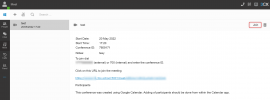
@coreybrett81, as an organiser you don't need to know the link to be fair, you can just click the "Join" button from your web client.

1653055659704.png

The meeting invite calendar entry is sent to everyone, including the organiser from a 3rd party (Google, Microsoft) so that will only have the participant link.

Now, if you create a WEBINAR entry, you will only have the email option to send the invites.

This email invite will send BOTH links to the organiser and only the participant link to the participants as it is the 3CX System itself sending these invites, and NOT a 3rd party calendar.

The 3rd party calendars cant differentiate who is who, for them everyone is a participant. That's why you can only see the organiser link within 3CX resources (web client)

A conference can be rescheduled from within the 3CX Legacy App for windows, but will not update the calendar entry. Changing the calendar entry will not update 3CX.
 
The organiser link is ONLY shown to the organiser in their web client, not in the invite.
I know, but I suggest the average person will see the reminder pop up from their calendar/Outlook and click the link there. Notably, there is no message in that reminder/appointment that they shouldn't click that link. Since "Meeting starts once organizer joins" defaults to checked, the organizer never joins and the meeting can't start.
 
I know, but I suggest the average person will see the reminder pop up from their calendar/Outlook and click the link there. Notably, there is no message in that reminder/appointment that they shouldn't click that link. Since "Meeting starts once organizer joins" defaults to checked, the organizer never joins and the meeting can't start.
You nailed it!
 
an organiser you don't need to know the link to be fair
To be fair :-) sometimes they do. If they just want to share the link with someone OOB on the fly. I don't think it's much of an ask. It would also make it more transparent that the link for the host is different that the link for guests.
 
Both links are sent in the email to the organiser when it is an email invite directly from within 3CX. The calendar sees everyone as a participant.

However you will need to manually add the participants in the meeting invite and 3CX will distribute the invites, not the calendar service.

But there is no RSVP in this case. And you would need to enter the calendar entry from the email which is sent.
 
Status
Not open for further replies.

Latest Posts

Forum statistics

Threads
111,973
Messages
590,075
Members
164,895
Latest member
jasonkkrause