Restoring an instance

Status
Not open for further replies.

texasmedic325

Customer
Joined
Nov 30, 2023
Messages
7
Reaction score
1
TLDR, we have a hosted instance of 3CX and I let the subscription expire before I could get back to it. The day they shut off the instance I got it renewed, however when I renewed it set up a completely new instance. I purchased a support ticket for $75, in a panic and unknowing to me that this should be covered with free support according to 3CX website. Support said the recovery failed on their end but when I logged into the console, everything had been restored to normal and they closed the ticket. Today, phones aren't working. Logged in and it appears a new fresh instance has been setup. I did manage to save a backup of the instance this go round, but when I go to the backup & restore page, the restore button is greyed out and inoperable.

So now, I've tried to e-mail support by responding to the last support ticket e-mail I got (bounced back because support ticket has been closed), I tried to e-mail "[email protected]" as indicated on the support website and it bounced back "Mail Delivery Failure - 550 5.1.1 The email account that you tried to reach does not exist.", I've tried live chat and the website is down. So I'm stuck and now posting on the forum in search of help.
 
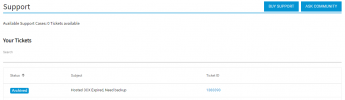
As i can see the ticket is still opened (in Pending status) and you can still reply back.
However you have confirmed that everything was working properly. The issue now is that the phones do not register?
Using 3CX Clients have issues as well?
 
This is what I see now
1701318466112.png

I confirmed Monday afternoon things were working when I left. It was today that it was noticed that the phones were down. something happened between the time when things were working Monday afternoon and this afternoon.

The issue now is that 1) the phones register failed and 2) that when I login to the management console, a new uncustomized instance appears just as it had when I first contacted support.
 
Can you please clarify if you can see your backup but not get option to restore?
 
I cannot see any backups on the management console, however I did download an offline backup before this happened. The restore button is greyed out and non-functional through the management console.
1701319503615.png
 
In order to be able and restore your backup, you need to set a remote location and upload your backup there. Then the backup will be available for restore. You may also refer to the guideline here.
 
Why will it not let me install a backup from local disk?
 
For the 3CX Hosted machine you do not have SSH access to the local folder as it is also mentioned to the guide.
In order to use previous backup you will need a remote location.
 
Do you know of any free remote locations? I've paid for this system to be hosted, paid for a $75 support ticket, the website says backup restoration is part of hosted support. I'm not sure how much more $ I can keep pouring into this system that we only use for 4 phones in our one office.
 
We have checked the instance, and there has been no restoration from our side other than the one done for you, in which you confirmed on the ticket with us that the configuration was indeed intact.

The ticket itself is pending and not closed, but you need to reply with the email address you originally opened the ticket or access the portal with that same email address.

I am checking now if the backup that we have from our side is with your config to save you the hassle of trying to upload the backup to a remote location to restore.

The backup is being restored now, and I will let you know when it is complete so you can check. Otherwise, the only option will be to upload your backup and restore from it.
 
We have checked the instance, and there has been no restoration from our side other than the one done for you, in which you confirmed on the ticket with us that the configuration was indeed intact.

The ticket itself is pending and not closed, but you need to reply with the email address with which you originally opened the ticket or access the portal with that same email address.

I am checking now if the backup that we have from our side is with your config to save you the hassle of trying to upload the backup to a remote location to restore.
I was finally able to manipulate the portal login system to get to the support ticket, apparently updating your email address in the 3CX portal after creating a support ticket creates all kinds of chaos. I very much appreciate your help!!
 
  • Like
Reactions: Charles_3CX
Please check on the ticket, as we have answered there also.
 
Late to the party here, but I ended up having major concerns doing the v18>v20 upgrade this week on one of my client instances BECAUSE there is no way to migrate a backup file/restore locally. The other ones have Sharepoint access, but really, Sharepoint? For a backup solution?

A lot of your hosted users are SMBs, and them having WAN accessible FTP, etc, is not common.

Hosted 3cx instances *really* need to have an upload option for backup files. If we can download and delete files from the webui, we should ABSOLUTELY be able to send them to it. Even if this was something that was implemented in the system portal instead of the instance UI that in the backend copied it to the instance, that would be a perfectly workable (if not exactly elegant) solution.

As is, Backup/Restore is 95% useless on a hosted system. Not having an A/B upgrade rotation is another one, so you have the phone system down for the whole upgrade instead of upgrading instance B, then swapping them. Turns a 30sec outage into a 20min outage.
 
Status
Not open for further replies.

Forum statistics

Threads
111,974
Messages
590,081
Members
164,899
Latest member
mazet