Ring Group Not Accepted by Phone Extension

Status
Not open for further replies.

gigaboy

SOHO User
Joined
Jul 6, 2016
Messages
90
Reaction score
3
I have a ring group with 10 extensions assigned (named Rosemarie). Using Yealink T23G which is firmware updated to latest.
Presently the extension (16) is set to the default ring group.
When I reassign it to Rosemarie ring group, it will not "set" when clicking OK, always reverts to Default.
I made sure the ring group has extension 16 as part of the group.
Using latest version of 3cx on Linux.
 
Hi @gigaboy

Are you maybe confusing Ring Groups with extension Groups?

12036

Its not clear what you were asking, are trying to move extension 16 from Group DEFAULT to Group Rosemarie?
 
I think the same as @JohnS_3CX , groups are only here for rigths and restrictions. You've to use Ring Group (RG) to make ppl ring ;)
 
I expressed this incorrectly, sorry. I don't care about the ringing. I'm interested in the extension being a part of the GROUP "Rosemarie", so that the phone can be picked up when ringing from that extension. In the Groups Detail, I can see the extension 16. But when I go to the device to set the rights from Default to "Rosemarie", the change will not "set".
 
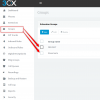
Ok so step one is go to Groups to add the Extension to the Group you want, and press ok to save.

Then go to extensions, pick your extension, click on rights and from the Group Membership drop-down list, pick Rosemarie.

12040

Is this what you did?

Are you using the latest version of Chrome to access the console?
 
All that I did, but I'm using Firefox.
 
Just tried in in Chrome, same problem. All browsers are current version.
 
Now when you say the change will not "set", can you be a bit more specific please and tell us how to replicate the same error here?

Do you mean that you come back to the rights after pressing OK but they are missing?

Or do you just mean that call pickup doesn't work?
 
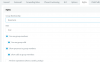
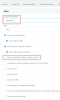
Three screenshots attached.
  1. Click on the phone device 16. Click on Rights tab. Click Group membership to change to Rosemarie.
  2. Click OK.
  3. Again click on phone device 16. Click on Right tab. Group membership reverts to Default.
 

Attachments

  • 1.jpg
    1.jpg
    44.5 KB · Views: 5
  • 2.jpg
    2.jpg
    53.8 KB · Views: 5
  • 3.jpg
    3.jpg
    44.7 KB · Views: 5
Hi gigaboy,

I think that's just a simple misunderstanding. The drop down menu does not change the membership, it just allows you to edit the rights of the extension for any one of the groups that it belongs to (and it can belong to many groups if you want). So if you had 10 groups, and added your extension to all ten, the drop down menu would show them all so you can assign specific rights to your extension under each group individually and one by one.

To change membership you need to go to Groups and either add or remove the extension from the groups you want by by selecting a group, clicking edit, and then either add or remove EXT16 from each group.

12045


Since you see 2 groups in the extension rights, it means that you have already added EXT16 to Group Rosemarie successfully and now EXT16 can pick up calls from members of that group.

Then edit the extension rights and enable pickup

12046
 
Compare two identical phones, both T23G, both same firmware version. The phone that works (master bath, x14) was permitted to be set to the Rosemarie Group Rights, and performs as expected (user can answer a call). The powder room device, x16, cannot be set to Rosemarie Group, and thus cannot pickup the call, even if the "perform operations" checkbox is ticked. Seems like a re-provision on the phone is required.
 
Try going to management console again, go to Groups, click DEFAULT, you will see extension 16 there, just press X to remove it and press ok.

Then go to Extensions, then extension 16 and check the rights now
 
Status
Not open for further replies.

Forum statistics

Threads
111,933
Messages
589,811
Members
164,808
Latest member
jsbjsb