Solved Ring group not forwarding

Status
Not open for further replies.

lgsbrisbane

Free User
Joined
Sep 26, 2019
Messages
13
Reaction score
2
I have a 3CX server hosted on Amazon Lightsail with a static IP address and I am unable to make ring group forwarding work.

  • I have one SIP trunk with an inbound rule directing the DID to ring group 80.
  • Ring group 80 has a line hunt for the two extensions in the group, timeout of 60 seconds with a forward on no answer to ring group 81.
  • When I call my DID the ring group 80 line hunt works (but not always in the correct order).
  • I have set up the timeout for all extensions to 60 seconds, but an inbound call will stop at 25 seconds then reconnect to the second number.
  • The call will ring on the second extension in the group for 25 seconds, stop and reconnect to the same extension before ringing out completely after another 25 seconds (with gaps due to reconnections, this comes to 90+ seconds).
  • I can only forward a call to ring group 81 if both extensions in ring group 80 decline the call.
I have reviewed the forums here, but I am at a loss. Any help would be appreciated.
 
Hi , if i was you
  1. i will try to decrease timeout in extensions to 20 s maxi (it's quite enough to answer, almost 4 rings in France)12499
  2. In RG 80 decrease ring time to 40s
How many time set in RG81 ? how many extensions? where goes the call at the end of story?

Callers don't like and don't stay long time with ring back tones and no one answering, if you want quality and customers satisfaction search ways to answer quickly, not a no ending forwarding scenario ;):p
 
Last edited:
I have changed the timeout for the extensions to 20 seconds and for the ring group to 40 seconds. It hasn't made any difference, the extensions ring for 25 seconds, disconnect, and then reconnect. Is there a global setting for ring timeout?
 
if you call ext to ext is it going to DNA after 20s ?
 
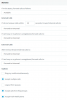
your extensions are set like this ?
12505
 
when you call rg80 number directly do you have same behaviour?
 
Have done exact same settings as yours and everything is working as it should
 
your extensions are set like this ?

Yes, other than 'Accept multiple calls'. I changed the setting and restarted services, but external calls are still ringing for 90+ seconds without forwarding to ring group 81.

When I call extension to extension the call is forwarded to voicemail after 20 seconds.

When I call ring group 80 the line hunt works and after 40 seconds the call is forwarded to ring group 81, as expected.

Thanks for your help so far.
 
So if internals calls works fine , then problem can be related to the trunk sip , can you try to set an extension directly in your rule instead of RG80 and call the DID and see if the call is forwarded to VM after 20 s
 
If I set the inbound rule to call an extension, rather than a ring group, with forwarding after 20 seconds, everything works as expected.
 
I have made a test call with verbose logging. I do not see anything obvious, but that may be because i do not know what to look for.
 

Attachments

Do you use an iphone on ext;26 for RG 80 reception and admin ?
Do you have only Mobile ext. in RG ? can you try with deskphones?
Hunt GRP 80 goes first to EXT 26 then ext 25
As your PBX is cloud, your 3cx APP should use tunnel 5090 port,did you set this? are APP Wifi or 4G connected?
On PBX side do you have IPV6 activated ?


I'm not expert in log analyse but what i see is Ext 25 and 26 from RG 80 are not registred very often so it give failure with code 487
 
Last edited:
Do you use an iphone on ext;26 for RG 80 reception and admin ?
I have an iPhone and the Windows PC softphone on that extension. Both apps ring when there is an incoming call. I have also tried it with only the Windows phone.

Do you have only Mobile ext. in RG ?
I think i have answered this question above - we also have Windows PC softphones.

can you try with deskphones?
No, we do not have any.

Hunt GRP 80 goes first to EXT 26 then ext 25
Yes

As your PBX is cloud, your 3cx APP should use tunnel 5090 port,did you set this?
Sip trunk port is 5060.
Tunnel port is 5090.

Are APP Wifi or 4G connected?
Wifi and LAN

On PBX side do you have IPV6 activated
The only IPv6 setting I can find is:
Settings>Parameters>IPV6_BINDING>Automatically Bind to IPv6 Adapters if present.
The value is 1.

Thanks for the help so far :)
 
Last edited:
on extensions settings "phone provisionning" tunnel port need to be enabled
12531

For IPV6 this is in settings, network
12533
 
From your description I'm tempted to say it almost sounds like your PBX is reaching the clients with a delay.

Wondering if you can test this with a deskphone too, preferably behind an SBC if possible (rather than STUN)
 
@aws2p extension provisioning and IPv6 binding were already set to your recommendations

@JohnS_3CX I do not have a deskphone, but i can try to source one. I will have to look into setting up SBC on the server.
 
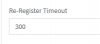
Thanks for all the help, I have learned a lot about configuring ring groups and forwarding and become more familiar with the 3CX management screens, but it was all because the timeout setting for the SIP trunk had been set to 30 seconds.
 
  • Like
Reactions: JohnS_3CX
this 12612 was set to 30s ? do you set this value manually? or do you use unsupported sip provider set as generic trunk?
if not and you used a template related to your supported sip provider , this setting should have been set to right value using a trunk template.
 
@aws2p I am not sure where the setting you have shown me is located.

However, the problem was was not within the 3CX management console, it was on my SIP trunk provider's side.
 
Status
Not open for further replies.

Forum statistics

Threads
112,313
Messages
591,841
Members
165,458
Latest member
Kayla Norris