Solved route calls to different destination during office hours

Status
Not open for further replies.

Aitie

Customer
Joined
Oct 7, 2022
Messages
7
Reaction score
1
Hello,

I want to route calls to an outside number between 1PM and 7PM.
The office hours are from 7AM to 7PM.
I've made a DID inbound rule with specific office hours from 1PM to 7PM. in office routing -> external numer Out office routing -> incoming ring group.

The problem is that it overrides the original office hours and now my closed message isn't working anymore.

Is there another way to do this or how can i solve it?

Thanks in advance.

Kind regards,
Robin
 
The problem is that it overrides the original office hours and now my closed message isn't working anymore.
Are you saying that now, all calls, on that trunk, are following the new DID rule? You might check the Activity Log (Verbose), to see it gives you any help, in determining why that may be happening. It will show if the other calls are following the same route, or where they are now going, after hours.
 
Calls to that DID will follow the specific office hours you set for that Inbound rule. Do you have multiple numbers with different inbound rules or do all calls go through the same number?
 
Calls to that DID will follow the specific office hours you set for that Inbound rule. Do you have multiple numbers with different inbound rules or do all calls go through the same number?
All calls go through the same number. Just in the afternoon from 13:00 to 19:00 all incoming calls need to be forwarded to an external number. For that reason i've created that DID rule. The problem with the rule is that now the PBX doesn't close anymore because i need to route the calls to the ring group outside of the office hours from the DID rule.
 
So you essentially need 3 configuration options for Office hours.

1. In office hours
2. Out of office
3. custom setting for forwarding

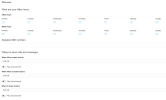
You can do this from the WebClient by using the new Group settings.
1676622722760.png

Route your calls to your group and control the routing from the Webclient office hours for groups.
You can set up In and out of office hours as well as break times and route calls accordingly.
 
So you essentially need 3 configuration options for Office hours.

1. In office hours
2. Out of office
3. custom setting for forwarding

You can do this from the WebClient by using the new Group settings.
View attachment 34333

Route your calls to your group and control the routing from the Webclient office hours for groups.
You can set up In and out of office hours as well as break times and route calls accordingly.
Thanks for your reply, this is what i needed.
 
  • Like
Reactions: YiannisH_3CX
Status
Not open for further replies.

Forum statistics

Threads
111,974
Messages
590,081
Members
164,899
Latest member
mazet