Router Phone T53W 96.86.0.76

Status
Not open for further replies.

adv-seb

Silver Partner
Advanced Certified
Joined
Sep 3, 2023
Messages
3
Reaction score
3
Can someone confirm if the new 96.86.0.76 firmware is compatible as a SBC/Router phone? When I updated the SBC failed to register and I had to rollback the firmware to get the phone system working again. So now 3cx says the older 96.86.0.74 firmware is unsupported.
 
  • Like
Reactions: lbfealex
Yes it should be fine. Latest versions are at https://www.3cx.com/docs/phone-firmwares/. We didn’t have issues upgrading clients with router phones.

The phone’s SBC didn’t connect, or other phones didn’t connect?
 
  • Like
Reactions: CentrexJ
I updates the firmware within 3cx management portal. The SBC went offline so none of the phones would show up. Rebooted twice after the update to see if that made a difference. Then downgraded and the SBC went online immediately and all phones registered.
 
  • Like
Reactions: lbfealex
Very odd. The main difference is fixed headset support. Should work fine for sbc phone. We have customers using it that way.
 
Hm, I had one successful router phone still work with 96.86.0.76 but I also had a second one fail to work and a rollback of the firmware fixed the issue.
 
  • Like
Reactions: lbfealex
hi,
we had this issue too, router phone not working with T53 and firmware 96.86.0.76, need a rollback to previous version to make it work again. We had this issue twice recently.
We didn't face this issue with T57w with same firmware.
 
  • Like
Reactions: lbfealex
I just double checked and we have a client with two 53W router phones, and some 54W router phones. Two notes that come to mind:
  1. Since this was a new 3CX install and the new phones had really old firmware, we manually upgraded the phones to the latest firmware first, before configuring the phones. The above reads like the phone was a router phone already on .74, then upgraded to .76, and it broke? I wonder if upgrading first, then factory resetting the phone and letting it reconfigure itself, would let it work. (When did .76 release? The mentioned install was in June)
  2. On the 53W's specifically I believe they are both using wireless. Though that's not supported, it can be done by configuring the phone as a router phone while wired, then enabling wireless. In this case each is its own SBC so there is no issue with other phones connecting to it over wireless.
 
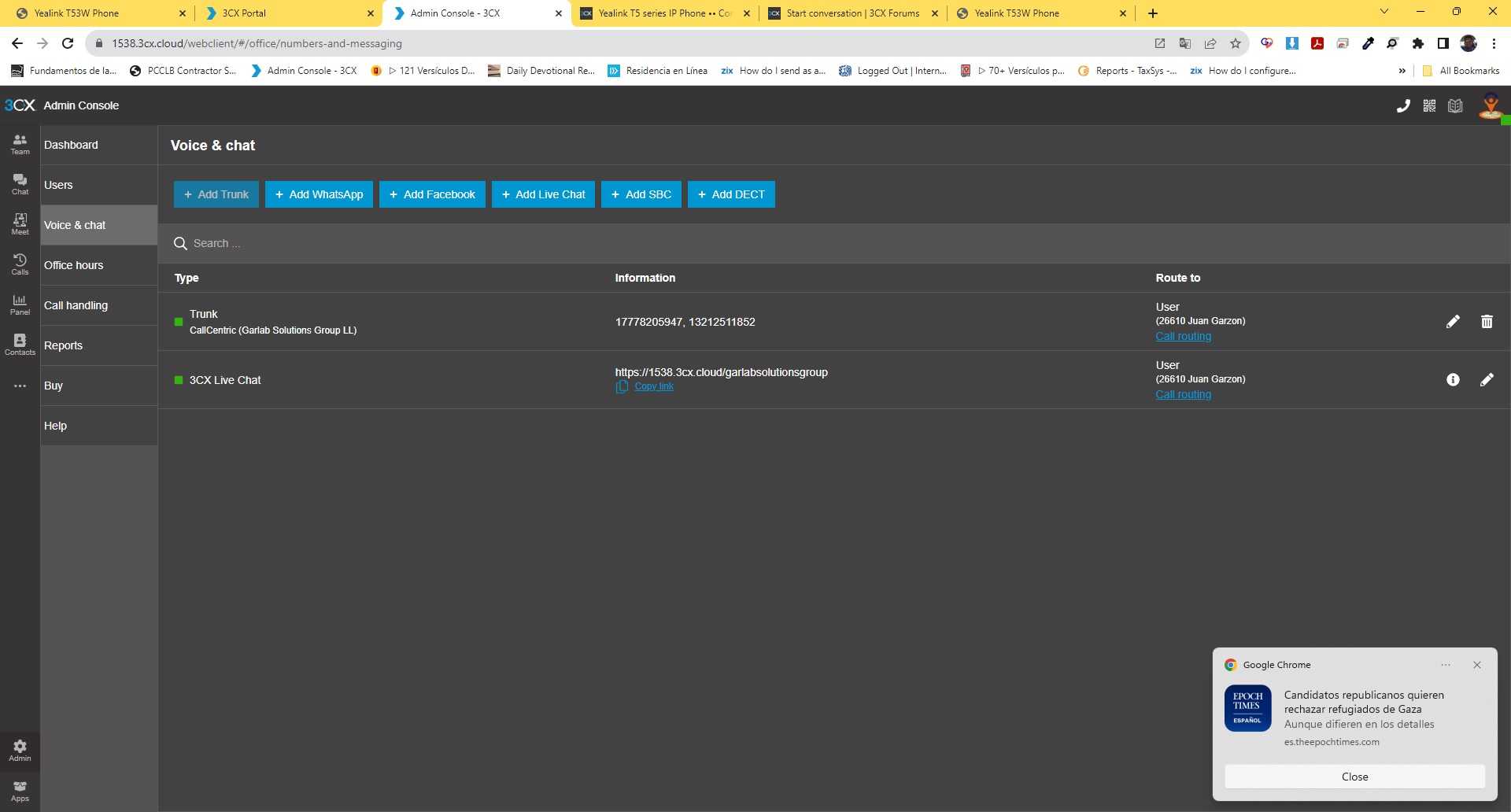
we have callcentric like trunk and their registration is good from begining

callcentrictrunkfine.jpg

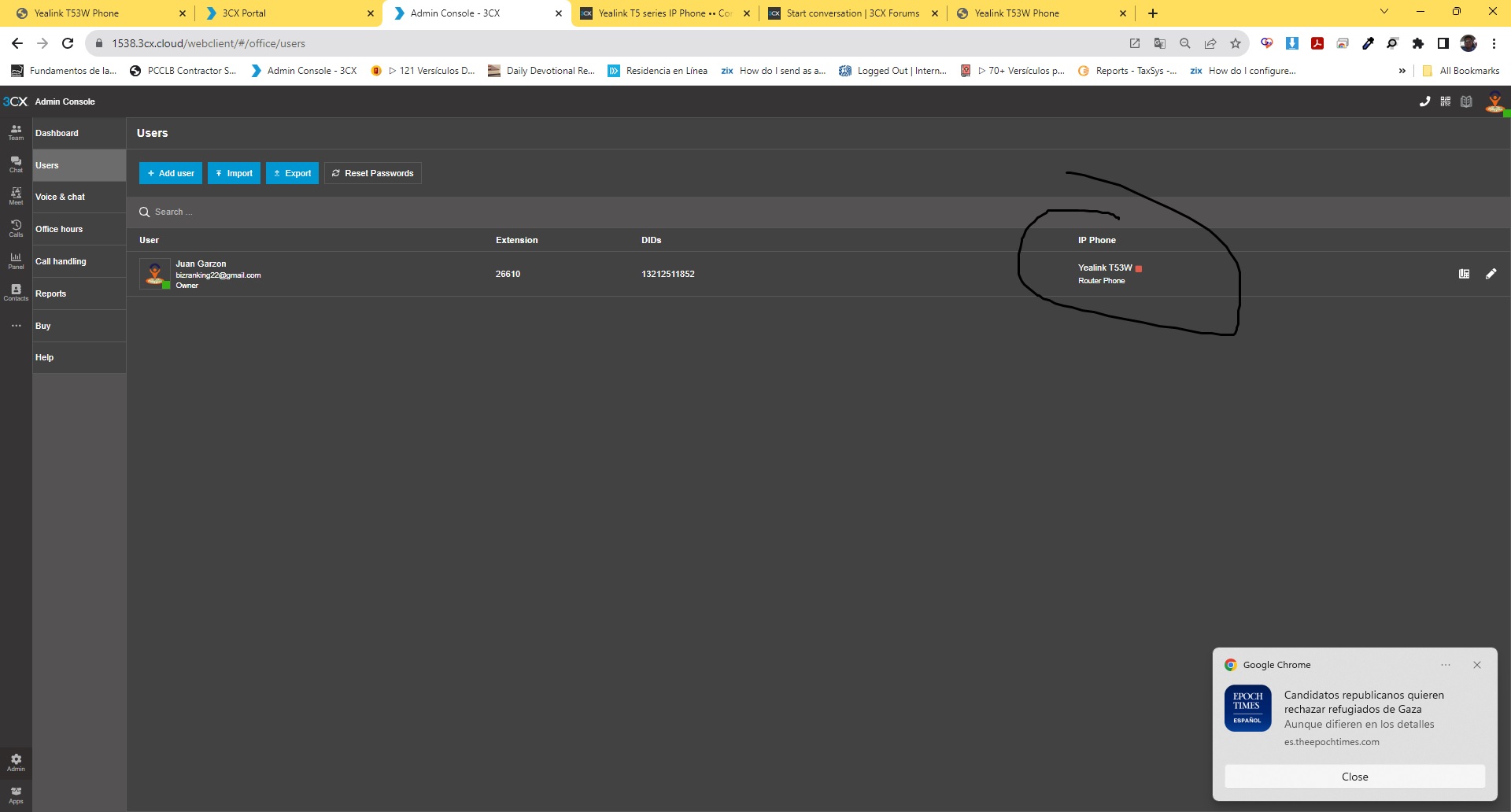
the user of owner is register fine
We done all your step to setup the remote phone
USERTAB.jpg
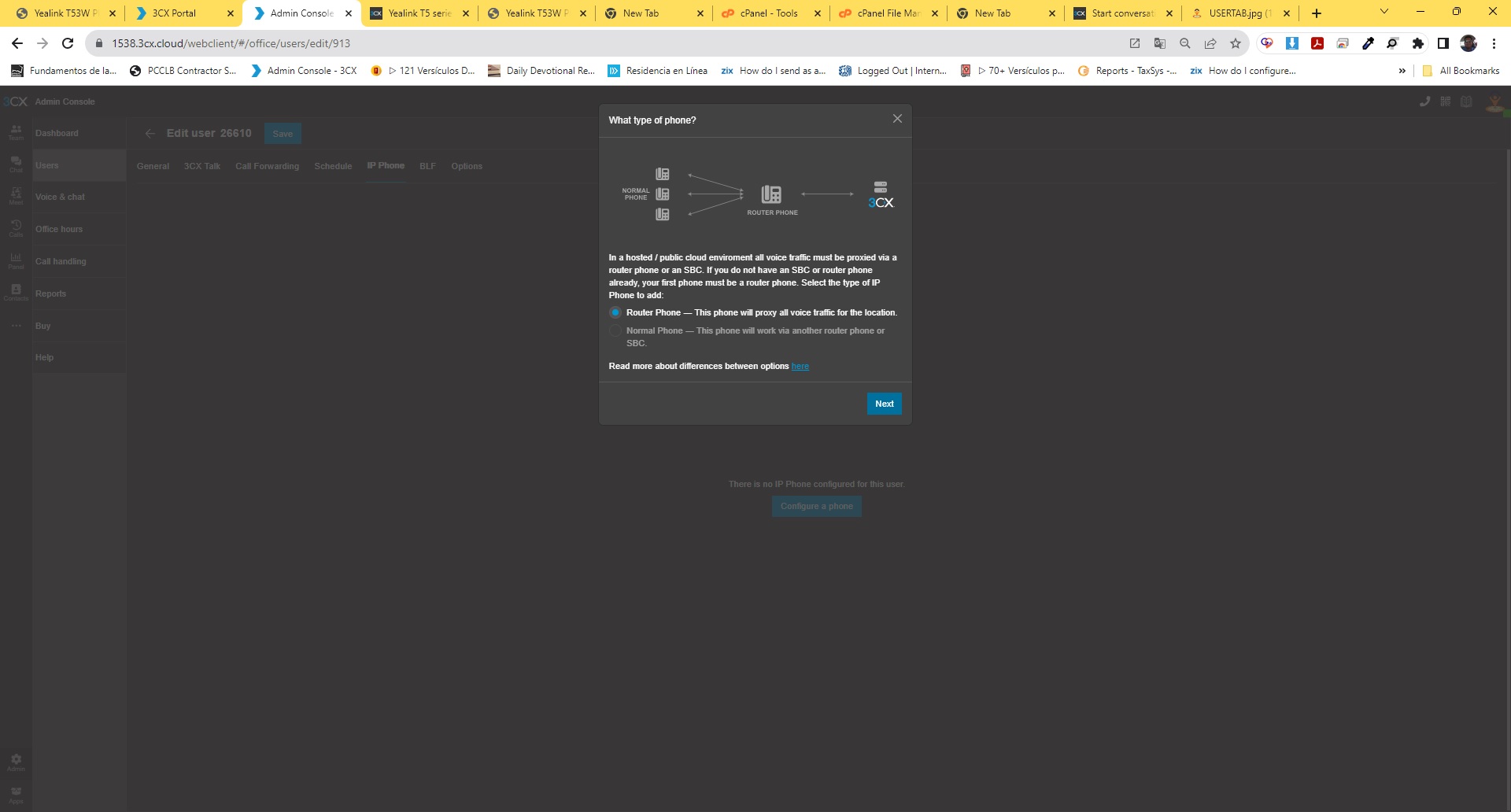
wedoingrouterphone.jpg

we configure our router phone
configureyourrouterphone.jpg

but never work
yealinkt53wnoready.jpg

PLEASE I NEED HELP I NEED FIX IT AND I NEED WORK WITH THIS IP PHONE THAT BOUGTH FOR WORK WITH 3CX.

THANK YOU, WHO CAN HELP ME
 
if you downgrade the firmware to 96.86.0.74 it will likely work. That is what made it work for me.
 
thank for your advice, let me try and see if work for me too
 

lbfealex maybe do you have this firmware, becuase in the website of yealink only can find this firmware 96.86.0.70​

​

 
after you installed that firmware and hopefully it will then work, you will have to just ignore the message that you should upgrade the firmware. At the moment there seems to be a bug in the .96 firmware that for quite a few people creates this issue with router phones.

Screenshot 2023-10-17 at 5.52.56 PM.png
 
  • Like
Reactions: Juangarzon
thank for your help but no work, delete the phone from 3cx, changed the firmware to .74, reset and plugin the phone, but nothing, before show me the 3cx logo but now no doind nothing.
Can you know what hapend?
 
you said you deleted the phone from 3CX but you never said that you re-added it to 3CX.
because at the moment it sounds like the phone is not even provisioned ...
 
this is exactly like this
yealink t53w no ready.jpg
 
but yes no provisioned
 
and the phone is now on the .74 firmware?
can you do another reset to factory settings on the phone ?
did you confirm that you typed in the MAC address of the phone correctly ?
 
Hola @Juangarzon todo bien?

Please as first step validate that the phone is using the correct firmware 96.86.0.76 the same is available in this link

I would suggest to delete the phone from the extension, apply the changes and perform a factory reset in the phone.

Once done, please try to configure the device as router phones following these instructions

In the event log you should see a message that RPS was sent successfully. Once you see that message, then connect the phone in the network and it will take the provisioning template via RPS.
 
Status
Not open for further replies.

Forum statistics

Threads
112,149
Messages
590,965
Members
165,170
Latest member
SupportRock