- Joined
- Jul 13, 2018
- Messages
- 779
- Reaction score
- 122
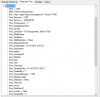
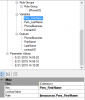
I'm trying to use the 3CX template wizard to generate an integration template but am unable to get the initial search function to return a valid client ID. The problem I am having is that Sage only returns a phone record ID which you then need to specifiy in a seperate command to retrieve the client details.
Sage resolves to 192.168.1.236
Such as this:
I notice in the 3CX template generator you can specify additional scenarios and chain the together. Can the $key value be assigned a variable which is then passed to the second scenario?
http://192.168.1.236/sdata/crmj/sagecrm2/-/Phone?Where=Phon_number eq '620441' which returns
{
"$url": "http://sage/sdata/crmj/sagecrm2/-/Phone?where=Phon_number eq '620441'&startindex=1&count=10",
"$first": "http://sage/sdata/crmj/sagecrm2/-/Phone?where=Phon_number eq '620441'&startindex=1&count=10",
"$last": "http://sage/sdata/crmj/sagecrm2/-/Phone?where=Phon_number eq '620441'&startindex=1&count=10",
"$totalResults": 1,
"$startIndex": 1,
"$itemsPerPage": 10,
"$resources": [
{
"$key": 4065,
"$title": "",
"$url": "http://sage/sdata/crmj/sagecrm2/-/Phone('4065')",
"Phon_CountryCode": "855",
"phon_IntId": null,
"Phon_number": "620441",
"phon_promote": false,
"Phon_AreaCode": "012",
"phon_IntForeignID": null,
"phon_intlastsyncdate": null,
"Person": {
"$url": {
"Association": "http://sage/sdata/crmj/sagecrm2/-/Phone('4065')/Person?startindex=1&count=10"
}
},
"Company": {
"$url": {
"Association": "http://sage/sdata/crmj/sagecrm2/-/Phone('4065')/Company?startindex=1&count=10"
}
},
"Account": {
"$url": {
"Association": "http://sage/sdata/crmj/sagecrm2/-/Phone('4065')/Account?startindex=1&count=10"
}
}
}
]
}
You then need to do a http://192168.1.236/sdata/crmj/sagecrm2/-/Phone('4065')/Person?startindex=1&count=10 to retrieve the client details.
{
"$url": "http://sage/sdata/crmj/sagecrm2/-/Phone('4065')/Person?startindex=1&count=10",
"$first": "http://sage/sdata/crmj/sagecrm2/-/Phone('4065')/Person?startindex=1&count=10",
"$last": "http://sage/sdata/crmj/sagecrm2/-/Phone('4065')/Person?startindex=1&count=10",
"$totalResults": 1,
"$startIndex": 1,
"$itemsPerPage": 10,
"$resources": [
{
"$key": 1780,
"$title": "BArry OShaughnessy",
"$url": "http://sage/sdata/crmj/sagecrm2/-/Person('1780')",
"Pers_PersonId": 1780,
"Pers_SecTerr": -1845493753,
"Pers_PrimaryuserId": 1,
"Pers_IntegratedSystems": null,
"Pers_Gender": null,
"Pers_LibraryDir": "O\\OShaughnessy, BArry(I1780)",
"Pers_MiddleName": null,
"Pers_Salutation": null,
"Pers_MailRestriction": false,
"Pers_DepartmentCode": null,
"Pers_CreatedDate": "2019-08-14T10:40:27+01:00",
"Pers_Department": null,
"Pers_territory": null,
"Pers_IntForeignID": null,
"pers_Website": null,
"Pers_IntId": null,
"Pers_Title": null,
"Pers_ChannelId": null,
"Pers_UpdatedDate": "2019-08-14T10:40:27+01:00",
"Pers_CreatedBy": 1,
"Pers_PrimaryAddressId": 1780,
"Pers_intlastsyncdate": null,
"Pers_FirstName": "BArry",
"Pers_TitleCode": null,
"pers_source": null,
"Pers_WorkflowID": null,
"pers_promote": false,
"Pers_UpdatedBy": 1,
"Pers_OptOut": false,
"Pers_ConflictResDate": null,
"Pers_LastName": "OShaughnessy",
"Pers_CompanyId": 740,
"Pers_AccountId": null,
"pers_status": null,
"Pers_Suffix": null,
"Company": {
"$url": [
{
"Reference": "http://sage/sdata/crmj/sagecrm2/-/Company('740')"
},
{
"Association": "http://sage/sdata/crmj/sagecrm2/-/Person('1780')/Company?startindex=1&count=10"
}
]
},
"Address": {
"$url": [
{
"Reference": "http://sage/sdata/crmj/sagecrm2/-/Address('1780')"
},
{
"Association": "http://sage/sdata/crmj/sagecrm2/-/Person('1780')/Address?startindex=1&count=10"
}
]
},
"Users": {
"$url": [
{
"Reference": "http://sage/sdata/crmj/sagecrm2/-/Users('1')"
}
]
},
"Account": {},
"Library": {
"$url": {
"Association": "http://sage/sdata/crmj/sagecrm2/-/Person('1780')/Library?startindex=1&count=10"
}
},
"Phone": {
"$url": {
"Association": "http://sage/sdata/crmj/sagecrm2/-/Person('1780')/Phone?startindex=1&count=10"
}
},
"Cases": {
"$url": {
"Association": "http://sage/sdata/crmj/sagecrm2/-/Person('1780')/Cases?startindex=1&count=10"
}
},
"Opportunity": {
"$url": {
"Association": "http://sage/sdata/crmj/sagecrm2/-/Person('1780')/Opportunity?startindex=1&count=10"
}
},
"Email": {
"$url": {
"Association": "http://sage/sdata/crmj/sagecrm2/-/Person('1780')/Email?startindex=1&count=10"
}
},
"Communication": {
"$url": {
"Association": "http://sage/sdata/crmj/sagecrm2/-/Person('1780')/Communication?startindex=1&count=10"
}
}
}
]
}
Sage resolves to 192.168.1.236
Such as this:
I notice in the 3CX template generator you can specify additional scenarios and chain the together. Can the $key value be assigned a variable which is then passed to the second scenario?
http://192.168.1.236/sdata/crmj/sagecrm2/-/Phone?Where=Phon_number eq '620441' which returns
{
"$url": "http://sage/sdata/crmj/sagecrm2/-/Phone?where=Phon_number eq '620441'&startindex=1&count=10",
"$first": "http://sage/sdata/crmj/sagecrm2/-/Phone?where=Phon_number eq '620441'&startindex=1&count=10",
"$last": "http://sage/sdata/crmj/sagecrm2/-/Phone?where=Phon_number eq '620441'&startindex=1&count=10",
"$totalResults": 1,
"$startIndex": 1,
"$itemsPerPage": 10,
"$resources": [
{
"$key": 4065,
"$title": "",
"$url": "http://sage/sdata/crmj/sagecrm2/-/Phone('4065')",
"Phon_CountryCode": "855",
"phon_IntId": null,
"Phon_number": "620441",
"phon_promote": false,
"Phon_AreaCode": "012",
"phon_IntForeignID": null,
"phon_intlastsyncdate": null,
"Person": {
"$url": {
"Association": "http://sage/sdata/crmj/sagecrm2/-/Phone('4065')/Person?startindex=1&count=10"
}
},
"Company": {
"$url": {
"Association": "http://sage/sdata/crmj/sagecrm2/-/Phone('4065')/Company?startindex=1&count=10"
}
},
"Account": {
"$url": {
"Association": "http://sage/sdata/crmj/sagecrm2/-/Phone('4065')/Account?startindex=1&count=10"
}
}
}
]
}
You then need to do a http://192168.1.236/sdata/crmj/sagecrm2/-/Phone('4065')/Person?startindex=1&count=10 to retrieve the client details.
{
"$url": "http://sage/sdata/crmj/sagecrm2/-/Phone('4065')/Person?startindex=1&count=10",
"$first": "http://sage/sdata/crmj/sagecrm2/-/Phone('4065')/Person?startindex=1&count=10",
"$last": "http://sage/sdata/crmj/sagecrm2/-/Phone('4065')/Person?startindex=1&count=10",
"$totalResults": 1,
"$startIndex": 1,
"$itemsPerPage": 10,
"$resources": [
{
"$key": 1780,
"$title": "BArry OShaughnessy",
"$url": "http://sage/sdata/crmj/sagecrm2/-/Person('1780')",
"Pers_PersonId": 1780,
"Pers_SecTerr": -1845493753,
"Pers_PrimaryuserId": 1,
"Pers_IntegratedSystems": null,
"Pers_Gender": null,
"Pers_LibraryDir": "O\\OShaughnessy, BArry(I1780)",
"Pers_MiddleName": null,
"Pers_Salutation": null,
"Pers_MailRestriction": false,
"Pers_DepartmentCode": null,
"Pers_CreatedDate": "2019-08-14T10:40:27+01:00",
"Pers_Department": null,
"Pers_territory": null,
"Pers_IntForeignID": null,
"pers_Website": null,
"Pers_IntId": null,
"Pers_Title": null,
"Pers_ChannelId": null,
"Pers_UpdatedDate": "2019-08-14T10:40:27+01:00",
"Pers_CreatedBy": 1,
"Pers_PrimaryAddressId": 1780,
"Pers_intlastsyncdate": null,
"Pers_FirstName": "BArry",
"Pers_TitleCode": null,
"pers_source": null,
"Pers_WorkflowID": null,
"pers_promote": false,
"Pers_UpdatedBy": 1,
"Pers_OptOut": false,
"Pers_ConflictResDate": null,
"Pers_LastName": "OShaughnessy",
"Pers_CompanyId": 740,
"Pers_AccountId": null,
"pers_status": null,
"Pers_Suffix": null,
"Company": {
"$url": [
{
"Reference": "http://sage/sdata/crmj/sagecrm2/-/Company('740')"
},
{
"Association": "http://sage/sdata/crmj/sagecrm2/-/Person('1780')/Company?startindex=1&count=10"
}
]
},
"Address": {
"$url": [
{
"Reference": "http://sage/sdata/crmj/sagecrm2/-/Address('1780')"
},
{
"Association": "http://sage/sdata/crmj/sagecrm2/-/Person('1780')/Address?startindex=1&count=10"
}
]
},
"Users": {
"$url": [
{
"Reference": "http://sage/sdata/crmj/sagecrm2/-/Users('1')"
}
]
},
"Account": {},
"Library": {
"$url": {
"Association": "http://sage/sdata/crmj/sagecrm2/-/Person('1780')/Library?startindex=1&count=10"
}
},
"Phone": {
"$url": {
"Association": "http://sage/sdata/crmj/sagecrm2/-/Person('1780')/Phone?startindex=1&count=10"
}
},
"Cases": {
"$url": {
"Association": "http://sage/sdata/crmj/sagecrm2/-/Person('1780')/Cases?startindex=1&count=10"
}
},
"Opportunity": {
"$url": {
"Association": "http://sage/sdata/crmj/sagecrm2/-/Person('1780')/Opportunity?startindex=1&count=10"
}
},
"Email": {
"$url": {
"Association": "http://sage/sdata/crmj/sagecrm2/-/Person('1780')/Email?startindex=1&count=10"
}
},
"Communication": {
"$url": {
"Association": "http://sage/sdata/crmj/sagecrm2/-/Person('1780')/Communication?startindex=1&count=10"
}
}
}
]
}