SBC not working?

Status
Not open for further replies.

ZacSC

Customer
Joined
Jan 21, 2016
Messages
34
Reaction score
2
Hello,

I am trying to get an SBC working and running into some issues, not exactly sure what the problem is. I have a 3CX phone system set up at another site, it works great, testing on migrating that to a place where it supports several sites with SBCs.

So I have the SBC software setup on a Raspberry Pi 3b+, connected to a network with Unifi equipment (USG and Unifi Switch) and then a Yealink phone also plugged into that same switch. The SBC shows its connected / up (although UDP is down?) and the phone never shows up for me to adopt. I have tried plugging things into different ports, rebooting everything, reading through the SBC setup etc. This 3CX phone is presently running on MS Azure and was created with the PBX Express. Any thoughts on what I am missing?

Here is the stats page for the SBC:

Statistics
StatusUP
Uptime0 min
Build Version16.0.390
Agents Behind SBC0
Calls Behind SBC0
TCP EncryptedNo
TCP Packets Received/Sent2/1
UDP StatusDOWN
UDP EncryptedNo
UDP Packets Received/Sent0/0
UDP Ping- ms
Operating SystemRaspbian
System CPU Usage%
System Memory Usage%
SBC Memory Usage%
Disk Usage%
Bandwidth Used From PBX (Rx)-
Bandwidth Used To PBX (Tx)-
RTP Packets Received/Lost from SBC/ (0 %)
RTP Packets Received/Lost from PBX/ (0 %)
 
Please provide these:
  • 3CX Version, e.g. Standard Annual 16.0.2.910
  • Server OS, e.g. Debian 9 / Windows Server 2012 R2 / Raspberry Pi
  • Is the 3CX Server Hosted and where?
  • IP Phone Make/Model/Firmware
  • Provisioning Method: Local / VPN / STUN / SBC
  • Trunk Provider or Gateway Make/Model
  • Has the Firewall Checker passed: YES / NO
  • Are custom Phone Templates being used: YES / NO
 
Please, make sure that multicast is enabled in the switch.
 
  • Like
Reactions: JohnS_3CX
Please, make sure that multicast is enabled in the switch.
Multicast can prevent the SBC from coming up? I thought Multicast was only for phone discovery on the network?
 
Here are the answers to those qs
  • 3CX Version: Standard Annual 16.0.4.504
  • Server OS: Raspberry Pi
  • Is the 3CX Server Hosted: MS Azure via pbx express
  • IP Phone: Yealink T46G
  • Provisioning Method: SBC
  • Trunk Provider: Skyetel
  • Has the Firewall Checker passed: Yes
  • Are custom Phone Templates being used: No

    I think multicast is enabled, looking for those settings now, but I have never done anything to disable it.
I just pulled a new raspian image and reinstalled it again, same issue. One thing I did notice was that when I sit on the trunk screen the SBC goes down every so often and it also shows this:
screenshot-sandalschurch.3cx.us-2020.04.07-17_13_52.png

That makes it look like its registering but then failing?
 
How are you powering the SBC? How is the UniFi equipment being managed and what firmwares are each of the devices on?
 
How are you powering the SBC? How is the UniFi equipment being managed and what firmwares are each of the devices on?
It's a raspberry pi 3b+ powered by a 5v canakit adapter
Unifi equipment is controlled by a cloud controller hosted on AWS (I have 11 sites on it).

On this site the firmware is:
UniFi Security Gateway 3P4.4.50.5272448
UniFi Switch 8 POE-60W4.0.80.10875
 
Caught a screen cap when its down, not much to see though. This makes me think its an issue with the Pi or the pi connecting to the phone system?
screenshot-sandalschurch.3cx.us-2020.04.07-17_31_09.png
 
Thanks, ya I have not had issues like this before with Unifi firmware.

Here are the Azure FW Rules, 5090 is open.
screenshot-portal.azure.com-2020.04.07-20_07_10.png

Where are the logs for the SBC on the Pi, I tried looking that up and did not see anything.
 
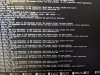
Opened up the logs on the pi and this is what I am seeing, its these errors on repeat.

IMG_20200407_202859.jpg
 
Did a bit more reading in the forums and set my security mode to 0 and that seemed to have fixed it lol?

Now the SBC shows accurately in the phone system and I can adopt phones.

From what I was reading that seems like an old issue, anyone know why I might be encountering it?
 
What does it show in the Management Console for the SBC now as far as the connection method?
 
This is what it shows

StatusUP
Uptime10h 26 m
Build Version16.0.390
Agents Behind SBC1
Calls Behind SBC0
TCP EncryptedNo
TCP Packets Received/Sent10843/7940
UDP StatusUP
UDP EncryptedNo
UDP Packets Received/Sent10425/10337
UDP Ping67 ms
Operating SystemRaspbian
System CPU Usage0.05 %
System Memory Usage5.99 %
SBC Memory Usage0.77 %
Disk Usage7.95 %
Bandwidth Used From PBX (Rx)2 bytes
Bandwidth Used To PBX (Tx)8 bytes
RTP Packets Received/Lost from SBC0 / 0 (0 %)
RTP Packets Received/Lost from PBX0 / 0 (0 %)
 
So the fact that you see UDP up now (it was down in your previous post) tells me that perhaps you didn't have 5090 TCP being forwarded to your 3CX instance or something is mangling the traffic between the two.
 
So the fact that you see UDP up now (it was down in your previous post) tells me that perhaps you didn't have 5090 TCP being forwarded to your 3CX instance or something is mangling the traffic between the two.
Any thoughts on what that might be? I have the FW rules for the Azure VM posted above.
 
So you do! Sorry didn't see that. It's possible you had a bad Pi install or bad SD. Can you try installing the Windows SBC on a computer at that site and see if it connects?
 
So you do! Sorry didn't see that. It's possible you had a bad Pi install or bad SD. Can you try installing the Windows SBC on a computer at that site and see if it connects?
Ya let me see if I can do that, I might even try another site. Any issues with running this in a VM like XCP-NG?
 
Status
Not open for further replies.

Forum statistics

Threads
112,031
Messages
590,388
Members
164,982
Latest member
Costa Georgijevski