- Joined
- Nov 11, 2019
- Messages
- 42
- Reaction score
- 1
Hi
Suddenly, or what I think after upgrading to latest v18 i, got problem with provisioning.
Some phones works others dont. They are all Grandstream 2130 and I use Hotdesking to 99% of the 200 desk phones.
I see this in the event log
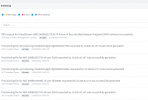
I take a brand new phone and let it show up in the phone list

SBC is online (local ip on the same subnet as the phones 10.200.32.3)

...and add it to my own extension....
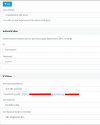
I see the phone goes out of screen saver mode when it gets the instruction to provision but no provisioning is happening and i dont see the attempt to provision in 3cx event viewer.

I have tried to redirect the DNS record so the transport happens in our wide-open VPN tunnels between the BCP and the server but that does not help either so I don't believe in a firewall issue.
Some phones works to login/logoff Hotdesking with and others don't on the same SBC.
Installed a new BCP (v20) but no change.
Something happened after the upgrade...
I'm about to upgrade to v20 anyway but I'm a bit afraid the problem will follow into the v20 server as well.
Anyone have an idea of what is going on?
BR
Per
Edit: To be noted. I have changed internal IP on the server while i did the upgrade (backup - reinstall a new 3cx server on a new IP - restore old config)
Suddenly, or what I think after upgrading to latest v18 i, got problem with provisioning.
Some phones works others dont. They are all Grandstream 2130 and I use Hotdesking to 99% of the 200 desk phones.
I see this in the event log
I take a brand new phone and let it show up in the phone list
SBC is online (local ip on the same subnet as the phones 10.200.32.3)
...and add it to my own extension....
I see the phone goes out of screen saver mode when it gets the instruction to provision but no provisioning is happening and i dont see the attempt to provision in 3cx event viewer.
I have tried to redirect the DNS record so the transport happens in our wide-open VPN tunnels between the BCP and the server but that does not help either so I don't believe in a firewall issue.
Some phones works to login/logoff Hotdesking with and others don't on the same SBC.
Installed a new BCP (v20) but no change.
Something happened after the upgrade...
I'm about to upgrade to v20 anyway but I'm a bit afraid the problem will follow into the v20 server as well.
Anyone have an idea of what is going on?
BR
Per
Edit: To be noted. I have changed internal IP on the server while i did the upgrade (backup - reinstall a new 3cx server on a new IP - restore old config)