Select all extensions, edit page does not load

Status
Not open for further replies.

ksegrist

Free User
Joined
Apr 16, 2021
Messages
5
Reaction score
2
Hi,

In 3CX version 16 in the Extensions page, I see that the Select All button has been replaced with individual checkboxes, and an upper-most Select All checkbox. While researching my question, I found the Release Candidate page which includes this blurb:

  • Double-click to edit is replaced with single-click across the whole UI to increase usability with touch-enabled devices and tablets. Picking list items is now more intuitive with selection checkboxes beside every item and a group-select checkbox to select all visible entries.
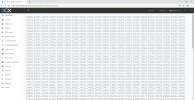
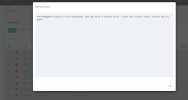
However, when I check the Select All box, then press “Edit”, the edit page never loads, and the management console service times out. I then found that if I scroll through the pages of 2 to 3 thousand extensions, every page has all extensions selected. I don’t know if that means they’re all selected, or that they’re selected only when the page is visible, but it would seem that the editor is attempting to load all extensions in the environment, maxing out resources and causing the service to time out.

Is there a way to select only the current page worth of extensions for editing a page at a time, without manually checking every box on the page?

Thanks for any advice,
ksegrist

<EDIT> Further testing on a site with a smaller number of extensions, the edit page does load, and i can see that it does show more than the currently visible page worth of extensions, (all of them), not fully visible in the screenshot, but demonstrates the point.
 

Attachments
  • 3cx Management Console Timeout.png
    3cx Management Console Timeout.png
    25.9 KB · Views: 10
  • 3cx Management Console Select All.png
    3cx Management Console Select All.png
    1.2 MB · Views: 8
Last edited:
To select all extensions on the first page only, select the first one, scroll to the end and then Shift+Select the last one.

Regarding the error you get when you try to edit all extensions:

• What OS is hosting 3CX? If it's a VM what is the Hypervisor
• How many Extensions are configured on this instance? (check under Dashboard >> PBX Status)
• What are the hardware specs of this machine?
• Please also try with the latest version of Google Chrome in incognito mode(with no extensions enabled), do you get the same thing?
 
Click the first extension, hold shift, click the last.

Edit** oop, just read above.
 
Good morning,

Thank you both very much for your responses. I'm sorry I didn't mention that I had already tried the the Shift+Select method you both suggested, but tried again this morning, and unfortunately it doesn't select all on the page, only the two that have been checked. I get the same results in an incognito session.

I'm using Chrome version 89.0.4389.128 (Official Build) (64-bit), on Server 2016 Datacenter, with a 2.4GHz processor with 4 cores, and 32 GB RAM. There are about 1,920 extensions. Is there a higher cpu or RAM requirement for this version, or are there graduated requirements based on the number of extensions?

Any additional suggestions would be greatly appreciated, as this is going to become a significant hurdle for my team who will soon be doing these upgrades to version 16 on a regular basis, many with 2000 or more extensions.

Thanks again,
ksegrist
 
I can't remember exactly in which version of v16 the ability to select multiple extensions using Shift was implemented, but it certainly is possible from Update 6 and onwards. You may want to consider upgrading the 3CX PBX in question to Update 8 which is the latest v16 release and then try again.
 
Good news, thanks again. I found the download and will test in our lab, really appreciate the quick replies and helpful information.

Best,
ksegrist
 
  • Like
Reactions: ChrisC_3CX
You're very welcome, glad we could help! Let us know if you can multi-select extensions once upgraded.
 
Status
Not open for further replies.