Selecting DID when calling Out

Status
Not open for further replies.

isaaydin

Customer
Joined
Feb 17, 2020
Messages
10
Reaction score
1
Hi,
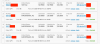
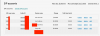
I have 5 DIDs and each of them is on a separate sip trunk from DIDlogic. (Screenshot attached). Since we are running 3 different companies, we need to have an option to able to select which DID (line) to use when calling out from every phone. On the old PBX system, it was super easy by just selecting line 1, line 2 or line 3 button. On our Fanvil phones, we have those buttons, too. But how to program the system to use those buttons for different DIDs? Right now, I can assign different extensions to use different outbound DIDs (lines) by default (in outbound rules) but that's not what I need, I need to be able to do it from every extension at any given time without tweaking outbound rules each time.

I am not super Pro in 3CX but I am system engineer and built the entire system myself and configured most of the services including installing the server. So, please consider these and if possible help in more simple language. Please let me know if I need to provide more info. Any help highly appreciated.
 

Attachments

  • Screenshot 2020-04-06 20.50.35.png
    Screenshot 2020-04-06 20.50.35.png
    212.6 KB · Views: 57
  • Screenshot 2020-04-06 20.55.29.png
    Screenshot 2020-04-06 20.55.29.png
    193.9 KB · Views: 54
  • Screenshot 2020-04-06 20.53.22.png
    Screenshot 2020-04-06 20.53.22.png
    112.7 KB · Views: 50
It's called a steering digit. Make outbound rules that say 9+number goes out trunk A, 8+number out trunk B, etc.
 
  • Like
Reactions: Dented and isaaydin
Or manually configure the phones to have 3 extensions with different outbound caller ID's.
 
Or manually configure the phones to have 3 extensions with different outbound caller ID's.
Do you have any links on how to do it? Also, is it possible to program those to Line 1 and Line 2 buttons? We have those in 3CX app as well. Would be great if it was possible
 
Do you have any links on how to do it? Also, is it possible to program those to Line 1 and Line 2 buttons? We have those in 3CX app as well. Would be great if it was possible

The 3CX App is tied to a single extension. I would recommend doing the digit steering as suggested by cobaltit.
 
  • Like
Reactions: isaaydin
The 3CX App is tied to a single extension. I would recommend doing the digit steering as suggested by cobaltit.
Thanks for the info! Do you know what are those line 1, line 2 in the app are made for? and how can we utilize them? Is it just for holding people on different lines and/or is there any way to program them to use different DIDs for calling out?
 
You could also create a 9+ rule that is specific (limited) to each extension that needs to select a particular trunk, placing these ahead of the 9+ rule that everyone else uses. f the set had multiple line keys assigned, then selecting a particular line key would send the call on a particular trunk. Why do you not have 5 DIDs on one trunk? The outbound CID can (usually) be a function of the outbound caller ID, assigned to an extension, rather than the particular trunk used, depending on provider.

Do you know what are those line 1, line 2 in the app are made for?
They are simple multiple appearances, of the same extension. Why there are more than two, has been a mystery to me.
 
Why do you not have 5 DIDs on one trunk? The outbound CID can (usually) be a function of the outbound caller ID, assigned to an extension, rather than the particular trunk used, depending on provider.

When I purchased numbers from DIDlogic, that how it came.. I am not paying extra for that, so I dont see a problem. Also, other members of the forum claim that if you are using multiple DID on the same trunk you cant use steering digit. So I wouldnt be able to select between which trunk to use.
 
On outgoing, you don't usually worry about which channel on a (single) trunk group you use, the only difference on each call is the caller ID you send. If your provider limits your outbound calls to the caller ID of each individule trunk, and you cannot change that, then understandable. But most do allow you to change caller ID to any (valid) number, or at the very least, the DID numbers you subscribe to, through them. This allows outbound caller Id to be set against a 3CX extension and not be based on the trunk billing number.
 
  • Like
Reactions: accentlogic
If your user extensions are configured to use a specific Outbound Caller ID then it will be used instead of the Trunk default Caller ID.

When using a "steering digit" prefix to choose the trunk (and therefore desired Caller ID) you will need to have the carrier override the caller id (if they offer this) or modify the SIP Trunk Outbound Parameters in 3CX and change "From: User Part" to use the "OutboundLineId" instead of the default OriginatorCallerID. Be sure to test this with each carrier to make sure it works as intended.
 
Status
Not open for further replies.

Forum statistics

Threads
111,943
Messages
589,860
Members
164,832
Latest member
Boblatino