- Joined
- Nov 17, 2020
- Messages
- 25
- Reaction score
- 3
Hi All,
Firstly, minor introduction. My name is Tony and I started learning 3CX from about March this year. So far, have got my wings by passing the first online course. I'm trying to set up a particular rule which I'm finding a little more difficult than I imagined. I did a couple of searches in this forum and found a couple of similar threads, one of which I thought seemed straight forward, but I seem to be still doing something wrong.
Scenario
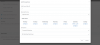
Business has Mon-Fri office hours of 0800-1700, Saturday only - 0800-1200. This is how their current system wide in office hours are configured
To Change:
Rather than go to the IVR Welcome when clients call on a Saturday. Business would like all phone extensions to ring.
I have tried to follow this guide:
https://www.3cx.com/community/threads/different-office-hours-for-weekdays-and-weekend.69027/
1, Create ring group and add members
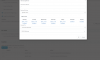
2, Create Dummy Extension (805) Under forwarding rules, have set two exceptions:
caller ID * Specific hours. Mon-Fri 0800-1700, forward to extension IVR Welcome
caller ID * Specific Hours. Saturday 0800-1200, forward to Ring Group
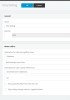
3, Go to Inbound Rules, Add DID rule for landline number. During office hours to send calls to the dummy extension (805) When outside of office hours, send call to a voicemail box
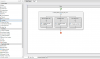
In testing however (current time 9:08am NZDT) the call goes straight to the ring group. I'm currently testing this on our own business 3cx system, and have only added myself in the ring group. Can anyone see where I'm going wrong? Hopefully the screenshots are of some help. I've cropped out names/email addresses/first part of ph number.
Firstly, minor introduction. My name is Tony and I started learning 3CX from about March this year. So far, have got my wings by passing the first online course. I'm trying to set up a particular rule which I'm finding a little more difficult than I imagined. I did a couple of searches in this forum and found a couple of similar threads, one of which I thought seemed straight forward, but I seem to be still doing something wrong.
Scenario
Business has Mon-Fri office hours of 0800-1700, Saturday only - 0800-1200. This is how their current system wide in office hours are configured
To Change:
Rather than go to the IVR Welcome when clients call on a Saturday. Business would like all phone extensions to ring.
I have tried to follow this guide:
https://www.3cx.com/community/threads/different-office-hours-for-weekdays-and-weekend.69027/
1, Create ring group and add members
2, Create Dummy Extension (805) Under forwarding rules, have set two exceptions:
caller ID * Specific hours. Mon-Fri 0800-1700, forward to extension IVR Welcome
caller ID * Specific Hours. Saturday 0800-1200, forward to Ring Group
3, Go to Inbound Rules, Add DID rule for landline number. During office hours to send calls to the dummy extension (805) When outside of office hours, send call to a voicemail box
In testing however (current time 9:08am NZDT) the call goes straight to the ring group. I'm currently testing this on our own business 3cx system, and have only added myself in the ring group. Can anyone see where I'm going wrong? Hopefully the screenshots are of some help. I've cropped out names/email addresses/first part of ph number.