- Joined
- Apr 9, 2018
- Messages
- 2
- Reaction score
- 0
Hello, i just upgraded our instance of 3CX from version 18.9 to 20, and we also want to setup a SBC on a Raspberry PI for our Remote Office which have almost 12-15 users each, we Total of 7 Remote Offices that will be connected to our main 3CX, we already checked required public ports on the firewall and we are able to connect and make calls on our Web interface using public IP.
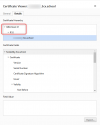
When trying to Install and configure the SBC we are asked to enter FQDN and key ID, after the systems says is connected but is required to validate the SSL Certificate and is not going to the next Steps, i guess we must install a valid SSL certificate, the problem is that we are not able to generate valid SSL certificate under *.3cx.co.za domain as we are not domain holder/owner .
Can please help and guide us on alternative ways to make our SBC works without SSL Certificate ? If not , can you help us getting 3CX.CO.ZA certificate ? Or any other alternatives so that we can finalize the configuration of our remote SBC 3CX Instances ?
Regards
Sérgio
When trying to Install and configure the SBC we are asked to enter FQDN and key ID, after the systems says is connected but is required to validate the SSL Certificate and is not going to the next Steps, i guess we must install a valid SSL certificate, the problem is that we are not able to generate valid SSL certificate under *.3cx.co.za domain as we are not domain holder/owner .
Can please help and guide us on alternative ways to make our SBC works without SSL Certificate ? If not , can you help us getting 3CX.CO.ZA certificate ? Or any other alternatives so that we can finalize the configuration of our remote SBC 3CX Instances ?
Regards
Sérgio