Setting UP a SBC

Sergio Langa

Customer
Joined
Apr 9, 2018
Messages
2
Reaction score
0
Hello, i just upgraded our instance of 3CX from version 18.9 to 20, and we also want to setup a SBC on a Raspberry PI for our Remote Office which have almost 12-15 users each, we Total of 7 Remote Offices that will be connected to our main 3CX, we already checked required public ports on the firewall and we are able to connect and make calls on our Web interface using public IP.
When trying to Install and configure the SBC we are asked to enter FQDN and key ID, after the systems says is connected but is required to validate the SSL Certificate and is not going to the next Steps, i guess we must install a valid SSL certificate, the problem is that we are not able to generate valid SSL certificate under *.3cx.co.za domain as we are not domain holder/owner .
Can please help and guide us on alternative ways to make our SBC works without SSL Certificate ? If not , can you help us getting 3CX.CO.ZA certificate ? Or any other alternatives so that we can finalize the configuration of our remote SBC 3CX Instances ?

Regards
Sérgio
 
The PBX needs the certificate and should already have one since 3CX FQDN are secured using Let's Encrypt automatically.

This means either you have some sort of SSL inspection on your on-prem firewall, which causes the issue, or because the cert isn't valid. Could also be date/time difference.

@NicholasP_3CX
 
  • Like
Reactions: VoIPTools
This is definitely a firewall issue.

From the remote network, are you able to access your PBX from a PC browser on that network?

If you do get a connection, you should not see any errors.

If you do, check your certificate that is being presented.

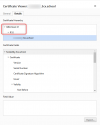
You should, with a 3CX FQDN and SSL certificate, see the following

1738076504639.png

Anything else would indicate your firewall is intercepting and modifyng, or putting its own.

The SBC will see this as a man in the middle attack and will not provision.
 
You said "we are able to connect and make calls on our Web interface using public IP". When setting up the SBC, you are entering the FQDN, not the IP address, correct? The FQDN you specify must match, exactly, the 3CX FQDN otherwise the certificate validation will fail. I also assume your SBC can resolve the FQDN to the correct public IP address of your 3CX server? If you cannot resolve the FQDN successfully, the verification will also fail. This can happen if your internal DNS is not configured or is not functioning correctly.
 
In case it is helpful?

1) Test first in a web browser, at one of the Remote Branch offices, you can access web 3cx interface properly, for example https://your3cxservername.3cx.co.za maybe. This is universal / should be accessible - equally well- from anywhere - if your 3cx instance is ok / accessible.

2) note the 3cx server manages its own SSL certificates, this is not something you can manage/change/get involved with.

3) your SBC will talk to precisely the same 3cx instance which you are talking to - also via HTTPS - basically. So if the firewall at the branch office is denying https outbound traffic to your 3cx server, we expect your 'human browser test on laptop' will also fail, as will your SBC. And if the human-laptop-test is good, then too also the SBC should succeed in the same manner, if you typed the name consistently and correctly.

4) as you indicate there is info which must be provisioned at setup time <> from the 3cx server <> to the SBC - for the 'bind this SBC to my 3cx server' - to happen with success. But once that is done, you are done and good, and the SBC will 'just work' (in theory). Then phone handsets in the remote-office location LAN with PnP autoprovision features can be easily detected and provisioned directly on your 3cx server <> allocated to user EXT# etc etc.

not sure this will help, but just in case.

good luck!

Tim
 

Forum statistics

Threads
111,832
Messages
589,284
Members
164,662
Latest member
DejanMDS