Setup second DID to a second IVR

Status
Not open for further replies.

ronenba

Bronze Partner
Basic Certified
Joined
Nov 16, 2022
Messages
191
Reaction score
8
i just add a second DID, under inbound rules i pointed it to IVR 2

while the first DID pointing to IVR 1

when i dial using the second DID i am getting the IVR1 instead IVR2

any ideas?
 
Probably not the right format of DID for your provider.
 
  • Like
Reactions: SweetAction
ensure you have it is the E164 format, example, 612xxxxxxxx not 02xxxxxxxx
putting it in the e164 format and not having issues, use DID and CID format all the time,

Another option is check the call logs, what is the dialed number that appears, does it match the SIP DID
 
sorry seems I did not understand

I setup voip.ms as my provider

the main sip (Toronto) is dialing in/out from PBX and reaching to group 800 (NVR 1) no issue

For the second sip ( Ottawa) I setup a sub-account with voip.ms and use the info for the 3CX ( i can see it is green) pointing it for incoming to NVR 2

when i dial in to the second sip (Ottawa ) it is reaching the NVR1 instead

any idea why it is reaching the first NVR when it pointing to the second?
 
Check the 3CX Activity Log (Verbose) to see how that call is coming in, and why 3CX is routing where it does. If, as suggested, the DID number does not match your rule exactly, then that call will route to the default destination, set for that trunk.
 
when i dial in to the second sip (Ottawa ) it is reaching the NVR1 instead

any idea why it is reaching the first NVR when it pointing to the second?
Answer has been given to you , most probably this is the number format received from your trunk who doesn't match with what you set in your inbound rule , to be sure this is really this , just change your inbound rule with something shorter than complete number.
for example start with *1234567 (replace 1234567 by your Ottawa ending phone number ) then place an incoming call on Ottawa trunk and see if it follows the route to IVR2.
Normally it should.
 
Solved:

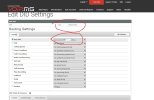
the solution was much way simple: on the provider need to change the SIP for Ottawa to the second sip

thank you
 

Attachments

  • Second sip line.jpg
    Second sip line.jpg
    159.1 KB · Views: 12
  • Like
Reactions: AWS2P
in 3CX if you have multiple carriers/accounts/DID's you want to get calls in/out from you configure the following

1. a separate trunk per carrier or a separate DID
2. for inbound calls the inbound rules get configured to the DID of the trunk or secondary DID you want the calls to come in from (this must match the format of the inbound call usually E164 format +1..., +612... +642...)
3. for Outbound you must set the rules to use the trunks or DID's accordingly example, i have DID +1010101 -primary and DID +1010102 - secondary.
Outbound rule is all calls use primary (place this rule at the bottom)
to call secondary DID preface with 99, then make a rule that says if starts with 99 strip 2 digits and use CallerID +1010102 (or send out secondary SIP) this rule must be above the primary catch all rule as rules are sorted top down what ever comes first
 
Status
Not open for further replies.

Forum statistics

Threads
111,974
Messages
590,081
Members
164,899
Latest member
mazet