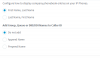
Show incoming rule name but NOT queue

Status
Not open for further replies.

wsd-tim

Free User
Joined
Sep 30, 2019
Messages
44
Reaction score
6
I saw I can turn off prepend for the ring group/inbound rule name from contacts -> options. Is there a way to show only inbound name and not ring group name?
 
Are you set like this ?
1581404947836.png
 
  • Like
Reactions: Clément Rousseau
Are you set like this ?
View attachment 14319

It's set to "Append Name". I assumed that "Do not add" will also not show what I want which is the Inbound Rule name. Either or will do. Just need 1 set of information so it displays all on the smaller screens without scrolling/clipping
 
Not sure it's possible to have a complete display on small screen but for test you need to short name everywhere possible, RG for ring group , Q for file etc...
 
  • Like
Reactions: Evolute IT
You can also leave the name blank... which is why there has been an open request for COMMENTS on inbound rules and ring groups... to state what it is for - but not have the info show up on the display.
 
True you can make the inbound rule blank, but I can not make the Queue name blank. I have set up an inbound rule for each marketing point as a DID/inbound rule but I reuse the same queue for some DID's (eg. Marketing team)
 
Hello @wsd-tim

I see the issue but currently you cannot choose the name that you need to display. The option allows for all names or none so you could just name your queues with a single digit to shorten the name.
 
Thats a shame... Can I request it here or must be in the 'Ideas' for something so simple? I have "insufficient privileges" to post in the ideas section. We own a 8PRO licence
 
What are the prerequisites for posting on the ideas forum? It does not say when I click the forum
 
Status
Not open for further replies.

Latest Posts

Forum statistics

Threads
111,937
Messages
589,831
Members
164,819
Latest member
mechelle