


- Joined
- Feb 24, 2007
- Messages
- 323
- Reaction score
- 67
For those who have been using CallSequitur to monitor 3CX call activity, show Simultaneous Calls or Call Volumes with the live updating chart, track VoIP provider charges or delve deeper with the View Calls or Call Analysis charts - I have just released v3.1.4 - available to download here.
In particular, simultaneous call or call volume charts produced in CallSequitur can now be directly copied to the clipboard with the 'Copy Chart Data to Clipboard' button. Then, using the supplied macro-enabled spreadsheet template [both UK and US date format versions supplied], the clipboard data can be automatically pasted into Excel and plotted with a single button click.
[Note: To run this macro it's necessary to enable in Excel>>File>>Options>>Trust Center>>Trust Center Settings>>Enable All Macros However even if you don't want to run the macro the spreadsheet is sufficiently documented to show how the data is used].
The Excel templates are only examples, clearly each user may have different ideas on how they want their charts to look! All necessary files and associated documentation is in the same folder as the v3.1.4 software.
The other CallSequitur functions are as originally documented in:
https://www.3cx.com/community/threa...ge-simultaneous-call-chart.66643/#post-290853
https://www.3cx.com/community/threa...-collection-analysis-reporting-package.63385/
I hope users find this useful!
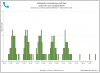
In particular, simultaneous call or call volume charts produced in CallSequitur can now be directly copied to the clipboard with the 'Copy Chart Data to Clipboard' button. Then, using the supplied macro-enabled spreadsheet template [both UK and US date format versions supplied], the clipboard data can be automatically pasted into Excel and plotted with a single button click.
[Note: To run this macro it's necessary to enable in Excel>>File>>Options>>Trust Center>>Trust Center Settings>>Enable All Macros However even if you don't want to run the macro the spreadsheet is sufficiently documented to show how the data is used].
The Excel templates are only examples, clearly each user may have different ideas on how they want their charts to look! All necessary files and associated documentation is in the same folder as the v3.1.4 software.
The other CallSequitur functions are as originally documented in:
https://www.3cx.com/community/threa...ge-simultaneous-call-chart.66643/#post-290853
https://www.3cx.com/community/threa...-collection-analysis-reporting-package.63385/
I hope users find this useful!
Last edited:


