Since move to 18.5, web client dial pad will freeze up

Status
Not open for further replies.

ajalil

Platinum Partner
Advanced Certified
Joined
Aug 20, 2021
Messages
3
Reaction score
0
Looking for suggestions and seeing if anyone is experiencing similar issues after the 18.5 update. This is for one of our customers.

Having multiple Users stating there are unable to release calls and their dial pad will stay frozen. This has been for inbound/outbound calls where the User would end the call or transfer the call, their dial pad will not close out.

Users have cleared cookies/cache, rebooted computer, log in/out of application, updated computer, etc.. Users are on Chrome browser.
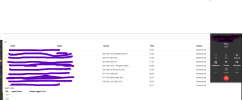
 

Attachments

  • Screenshot 2022-11-11 144259.png
    Screenshot 2022-11-11 144259.png
    170.8 KB · Views: 9
Hi ajalil,

Can you try the following and let us know?
  • Try logging into the webclient from an incognito window in Chrome (make sure that no browser extensions are enabled in incognito)
  • Download the desktop app and use that instead for a trial period to see if the issue persists with that.
 
Andrew, below are the results:

Issue remained with Incognito for Chrome. Was still getting calls freezing up and/or web client locking up.

Used Desk top application for half of the day and no issues reported.

------------------------------------------------------------------------------------------------------------------

They prefer the web client over desk top application as it shows calls coming/call waiting in queue/etc... They communicate with the info provided from this part on their Teams.
 
That narrows the issue down to just being in the browser at least.

Something else you can try is use a different browser (i.e MS Edge) and see if the issue appears there as well.
 
Thought the same thing as well.

I'll have them test out with Edge.
 
Status
Not open for further replies.

Forum statistics

Threads
112,351
Messages
592,037
Members
165,515
Latest member
fngl