Solved SIP Trunks - 407 proxy authenication required issue -- inbound calls failing

Status
Not open for further replies.

yoursmartgecko

Joined
Nov 29, 2021
Messages
20
Reaction score
4
Good day experts

i made an incoming call and i get an error 407
In my configs there is no authentication required for the SIP trunk its just bare IP address.
Attached is the trace from the service provider.

I will appreciate any input from you expert 1638196798350.png
 
Hello @yoursmartgecko


Your error indicates that you have a source identification issue. That means that the PBX cannot match the inbound call to a trunk in the system so it asks for authentication.

Are you using a supported provider? If yes then the settings should be preconfigured in the included template. If not then you will need to manually configure your trunk settings based on this.

The most common cause is that the number format the provider is using does not match the number format you used to add your DIDs in the system.

So for example your number is 0123456789 and your provider is sending the number as +44123456789. The PBX cannot match the 2 numbers. You can edit your number as add it as *123456789 so it will match both formats.
 
Thanks YiannisH_3CX

I've checked the logs. The calls are going through inbound and outbound on our test environment and when we change the IP from test to production. The inbound has an issue. I changed the numbers to *20... and then the outbound/inbound didn't go through... so I changed it back to 0 on the SIP trunk side.

I have used the standard 3cx template when creating the SIP trunk profile and haven't changed anything internally so not sure what to do next.

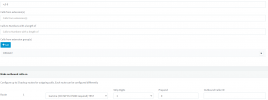
-- Also, I assume if this section of the SIP trunk is not populated then it
1638204752803.png
 
Last edited:
Which provider are you using?
 
For Gamma numbers must be entered in the national number format 0123456789 as mentioned in the Gamma guide here.

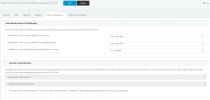
Do you only have one trunk on the system or multiple? Also can you send us a screenshot of your inbound parameters configuration?
 
Is this all correct? have I missed anything? I only have one sip trunk
 
So far everything looks correct. Under the DIDs tab of the SIP trunk how are your DIDs formatted? Do they start with "0"?
 
Yes. The number begins with 0>following the rest of UK numbers (0203). Not sure why it isn't working when we change production IP? is there questions I should ask or would you require more information from me?
 
The next step is to see an actual invite from the provider. Navigate to your Dashboard / Activity Log / Settings and set the logging level to verbose.

Then make a call to the system and wait for it to fail. Then go back into your Activity log, click the filter button and select the last call in the "Search by call" drop down menu.

Scroll all the way to the bottom and find the first Invite message you see. Look in the "To:" header and check how the number is formatted. If you are having trouble send me a d.m. with a screenshot and I will have a look.
 
Issue has been resolved. The provider was sending the calls in using the E164 number formal (+44123456789). Once the DIDs were adjusted inbound calls worked.
 
  • Like
Reactions: Limehawk
Status
Not open for further replies.

Latest Posts

Forum statistics

Threads
112,324
Messages
591,897
Members
165,476
Latest member
awan05