Skype and Windows7 - freeze on creating windows account

Status
Not open for further replies.

catalinu

Joined
Jun 13, 2009
Messages
15
Reaction score
0
Hello,
Does someone have the same problem?
When installing 3cx gateway for skype under Windows7RC, the installer freeze when it tries to create the windows account for skype, even with the UAC disabled. Any suggestions?
Thanks
 
Windows 7 is the latest version of microsoft So i think it has some bugs still. So you better wait for using windows 7 otherwise you have to face problem in using many software like skype.
 
Thanks, but I supposed that the problem is not on skype, but probably on 3cx gateway when it try to create a windows user, because the screen freeze after I supply to 3cx gateway the name and pass for the windows user that it shall create. The username is never created (or at list never visible on windows account). I suppose that it is on 3cx gateway vs windows, but not on skype side.
 
This sounds like the same issue...

Try this out..:

To all that can use this info. I had the same issue described in this posting. Upon installing the 3CX Skype Gateway onto Windows Vista Enterprise sp1, as the admin, my install would lockup after I put in a name for the user account. (Any name by the way)
My workaround follows.

I was able to install this Gateway program on an Windows XP SP3 machine running windows installer 3.1. (No problems at all)

I was not able to install it under Windows Vista Enterprise SP 1 using installer versions 4.0 or 4.5. (4.0 is native to Vista) 4.5 can be downloaded from the Microsoft site. I had to use the detailed instructions that follow.

1). Start the install of the gateway program. (the initial click only) The main install screen will appear.. do nothing else till after step 2.
2). Bring up windows task manager. Ctrl + Alt + Del start task manager.
3). In Task manager select the processes tab.
4). There will be multiple instances of MSIEXEC.EXE.
5). lOCATE THE ONE THAT IS APPROXIMATELY 3342K IN SIZE. (Do not Terminate this one)
6). Terminate the other Msiexec process or processes each about 1452k in size.
7). Click next
8). The Skype location screen will come up.
9). Click next.
10). Enter the default or whatever your phone trunk credentials are into the (3) boxes. (typically 10000)
11Specify SIP IP, SIP port etc. screen will come up. Put in the appropriate info. Your SIP PBX box..
12). Click next.
13). Single network card or if u have multiple cards choose whichever u are going to use for the interface.
14). Click next.
15). Put in your Gateway port or choose the defaut 6060.
16). Be on the lookout for other instances of Msiexec processes to start. about 1455-1732k in size.
17). Terminate them as they appear.
18). After you put in whatever Windows account u are going to use and password.. (I made up a password as I filled in the
password box.) which means the password did not exist until I typed it in at that moment.
19). The machine will do the simulated lock which brought you to this forum looking for this document.
(make sure the only instance of msiexec that is running is the one around 3645k in size.
20). Once you Terminate the other or others around 1954k in size your screen will advance past this nagging screen and take you to the
select Installation folder.
21). Choose your install folder.
22). Click next.
23). Ready to install will come up.
24). Terminate the new instance of msiexec that appears. (about 1425k in size)
25). Click install. you thought I was going to say to click next didn't you..
26). Close the new instance of the msiexec process.
27). Installation of Gateway for Skype will appear..
28). Right before the install is done another instance of msiexec will appear.. Delete it... about 1454k in size.
29). The install will finish and it will say Completing the 3cx Gateway for Skype Setup Wizard.
30). Some system processing will take place and a Dos window will open. Some more processes will run and ask you to login the new Windows account you put in at the beginning of the installation. (I suggest you at the beginning give this account any permissions you want it to have).. Sorry for this one but you can change the permissions later.. I know I know I should have told you earlier.. but it is what it is.. remember it will work anyway..
31). Info: No tasks running with the specified criteria will appear at the top of the dos screen.
32). Put in the Windows account password.
33). It will accept it... p.s. it will even accept one that you made up on the fly while installing this application.. how about that..
34). It will run some more processes and then tell you that skype is not connected..
35). Login to your skype account and your task will be finished.
36), Your Gateway will now be connected.

If you get stumped at this point refer to this link for clarification. http://www.3cx.com/voip-gateways/skype.html

If this has been helpful please post in this thread..

RemotePCDiagnostics.com.. Leave the FINGERWORK to us......... coming soon..... Enjoy..
 
Hi

Very soon we will release the first version of a completely redesigned and re-technologized 3CX Gateway for Skype - on first preliminary tests it performed well, proving to be stable, reliable and easy to configure on various Windows operating systems.

Stay tuned 8)

Regards
vali
 
Hi,

I've been waiting for this new 3CX Skype gateway quite a while now. How soon is it likely to be before it is released?

If you need anyone to do any further testing I would be pleased to do so. Steve Corrigan (UK Channel Manager) will I'm sure vouch for my credentials in this respect. I've done a lot of Skype integrations with your gateway and the upgrades of the base programs that your original release uses. Thank you.


Jonathan Hamon
 
How soon is it likely to be before it is released?

As far as i know, in Days or even less than that. 8)
 
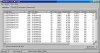
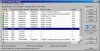
Two previews - one with gateway's "management console", the other one with system resources it needs (we tried to optimize as much as possible resource usage, including to design it to be multiprocessor-aware)
 

Attachments

  • img26.jpg
    img26.jpg
    74.3 KB · Views: 2,346
  • img27.jpg
    img27.jpg
    80.5 KB · Views: 2,361
Hi,

Looks impressive. All I want to do now is try it.


Jonathan Hamon
 
Hi Jonathan
Thank for appreciation - I guess tomorrow the new gateway will be available 8)
Regards
vali
 
And it is available now.


http://www.3cx.com/blog/releases/3cx-gateway-sip-to-skype/

Give it a shot and leave a comment on the blog. :P
 
Status
Not open for further replies.

Latest Posts

Forum statistics

Threads
112,331
Messages
591,910
Members
165,483
Latest member
AshleyStokes