Small CSS/styling glitches - authentication form

Status
Not open for further replies.

nzr

Customer
Advanced Certified
Joined
Sep 24, 2019
Messages
19
Reaction score
3
Hi, the submit button on the authentication form has some hardcoded (blueish) color values for "border" and "box-shadow" css attributes when using custom colors.

HTML:
.google-button_1iFRN button.submit_2BbzW:hover, .root_jQXee button.submit_2BbzW:hover {
    border: 1px #0596d4 solid;
    border: 1px var(--call-us-form-header-background, #0596d4) solid;
    box-shadow: 0 1px 1px #EAEAEA, inset 0 1px 0 #5A94F1;
    background: #0596d4;
    background: var(--call-us-form-header-background, #0596d4);
}

Please see the attached screenshot.

Thanks a lot

photo_2020-06-09_11-03-30.jpg
 
Okay, as I do not know how to change thead titles, the title schould read:

Bug report: small glitch in 3CX CSS; authentication form inherits blue color

As it is afaik not really possible to fix it with website provided CSS it would be nice to have this checked on 3CX side.

Thanks a lot.

By the way how does an "Affiliate Partner" can report "bugs"?
 
By the way how does an "Affiliate Partner" can report "bugs"?
You can't , there is no specific bug tracker you can report, just do like you did, on forum, hoping for 3CX Staff to notice.
 
Okay. good to know. Thanks for your help!
 
That seem to be the default color showing through, one way to force the color you want is to use an !important tag, sample this will over right any other code
background: #0596d4 !important;
 
Thanks for your help! Yes, that’s a relict of the default 3CX colors scheme - which I would consider a minor „bug“ in this context.

I tried „forcing“ my own css with !important. But the chat widget refuses to accept it. I read somewhere here on the board that it’s not possible to style the widget from the embedding website, though I don’t know why?
 
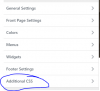
Use your wordpress theme to change the css

Capture.PNG
 
Yeah, I did use a custom CSS. Maybe my css selector does not match the input field?
Did you successfully style your widget like this?
 
No, i am using the default colors, but i did find out why it is not working, the code is at the bottom of the page. so a different way would be is putt you css code at the footer, that will force your colors to work.
 
use a custom html widget someplace in the footer
 
Status
Not open for further replies.

Forum statistics

Threads
112,147
Messages
590,961
Members
165,167
Latest member
Finatra.us