SMTP server doesn't work?

Status
Not open for further replies.

Trimessa

Forum User
Joined
Sep 16, 2020
Messages
5
Reaction score
0
I tried to add a ring group, which didn't work, tried to test it by connecting myself via sending an welcome e-mail, but I didn't get the e-mail.
In settings I've tried to test the 3cx smtp mail server, but to only get this error:
Code:
System.InvalidOperationException: No recipients have been specified. at MailKit.Net.Smtp.SmtpClient.Send(FormatOptions options, MimeMessage message, CancellationToken cancellationToken, ITransferProgress progress) at TcxMail.Mail.Send(AlternateView calendarData) Response:

  • 3CX Version, proffesional annual 16.06.641
  • Server OS, Raspberry Pi
  • Is the 3CX Server Hosted and where? I think so and at the same place
  • IP Phone Make/Model/Firmware This is about a Yealink, unsure exact model
  • Provisioning Method: Local / VPN / STUN / SBC I believe it's locally done.
  • Trunk Provider or Gateway Make/Model No idead
  • Has the Firewall Checker passed: YES
  • Are custom Phone Templates being used: NO


Unsure

Been looking on the forum, internet, but to no avail.
Thanks in advance.
 
Last edited:
Hello,

On your extension, is there an email defined or is the email field empty?
 
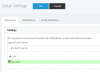
You can run a test first and see if this works (takes a moment after clicking).

Note: if you supply a an email address that was not active yet and tried to send an email using the 3CX SMTP, then the address will remain blacklisted by our SMTP for a while.
1600265817757.png
 
You can run a test first and see if this works (takes a moment after clicking).

Note: if you supply a an email address that was not active yet and tried to send an email using the 3CX SMTP, then the address will remain blacklisted by our SMTP for a while.
View attachment 18157
I did that, that, that's where I got the error from :)1600266574933.png
 
Click on the next tab, Notifications. There you will define the email that the test button will send an email to. Ensure it has a valid email
 
Click on the next tab, Notifications. There you will define the email that the test button will send an email to. Ensure it has a valid email
It now gives the green check mark with "Mail sent" but I still don't receives any mail, while it's a valid mailaddress. Also tried to send welcome mail from extensions again, same problem.
 
It might take some time for them to arrive, if none of them did even over 30 mins, then I would open a new thread here describing the issue of mails not arriving when using the 3CX SMTP: https://www.3cx.com/community/forums/hosted-by-3cx/

Alternatively, if you have your own SMTP and your license allows it, you can use that one and see.
 
Do you have any agressive antispam filter who can have intercepted your email before your mailbox?
 
Have one on my email server and even antispam filter is doing amazing work sometimes false positives are catched and need manual action to bring back to light side:)
 
Do you have any agressive antispam filter who can have intercepted your email before your mailbox?
No, not a single filter on it.
I can use the 'test' smtp server function, which gives an okay status, just nothing else.
Tested it with 3 other clients and same issue. Is the 'Send welcome email' from extensiosn maybe broken?

Here's an image what I am trying to do, ofcourse I have it changed to my email :)
1600339961386.png
 
Status
Not open for further replies.

Latest Posts

Forum statistics

Threads
111,962
Messages
589,996
Members
164,867
Latest member
swegner