


- Joined
- Aug 28, 2020
- Messages
- 22
- Reaction score
- 3
If you look at this article describing how to transfer a call, the context sensitive keys have written descriptions of their function on the LCD screen, rather than the symbols I'm getting on my D715:
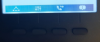
Is there any way to change this to the text as shown in the article? Much less confusing for the users.
Thanks
Is there any way to change this to the text as shown in the article? Much less confusing for the users.
Thanks


