- Joined
- Nov 23, 2020
- Messages
- 104
- Reaction score
- 22
Hello,
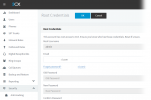
Trying resolve the following puzzle with a new 3CX system: workmate who was handling it deployed 3CX to Vultr VM using API and eventually found himself capable to login Web UI as a system owner using extension number/email address assigned, while the Root Username set to 'admin' as well as password options appear greyed out. I failed to get a cogent response how he's managed to complete initial setup exactly this way, yet still looking for a way to fix the access to 'admin' root account.
Whenever I try to reset a root user password via email, I receive no message.
Any suggestions?
3CX Version: 3CX Professional 4 SC 18.0 Update 7 (Built 312)
Server OS: Debian 10 4.19.282-1
Is the 3CX Server Hosted: no (Vultr-powered VM)
IP Phone Make/Model/Firmware: not configured
Provisioning Method: not configured
Trunk Provider: not configured
Has the Firewall Checker passed: YES
Are custom Phone Templates being used: NO
Trying resolve the following puzzle with a new 3CX system: workmate who was handling it deployed 3CX to Vultr VM using API and eventually found himself capable to login Web UI as a system owner using extension number/email address assigned, while the Root Username set to 'admin' as well as password options appear greyed out. I failed to get a cogent response how he's managed to complete initial setup exactly this way, yet still looking for a way to fix the access to 'admin' root account.
Whenever I try to reset a root user password via email, I receive no message.
Any suggestions?
3CX Version: 3CX Professional 4 SC 18.0 Update 7 (Built 312)
Server OS: Debian 10 4.19.282-1
Is the 3CX Server Hosted: no (Vultr-powered VM)
IP Phone Make/Model/Firmware: not configured
Provisioning Method: not configured
Trunk Provider: not configured
Has the Firewall Checker passed: YES
Are custom Phone Templates being used: NO