Some Agents failing to Log into the Queue

Status
Not open for further replies.

Quest4Voice

Free User
Joined
Jan 28, 2020
Messages
71
Reaction score
2
Good day,

I have 4 Queues created as per guidance from the team here.

I have 1001, 1002, 1003, 1004, all have their queues respectively however 1002, 1003, 1004, are logged into their queues

I have noticed 1001 has been logged out for 2 days now. I try to login no luck what am I missing.

Question: Could you please advise how does an extension log into a queue.
Question: How does the queue manager assign calls?
Question: How do you badge in or silent listen i cant seem to see that

Thanks in advance

Quest
 
Last edited:
Hello,

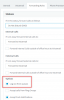
Has the extension's status perhaps been switched to one that has "log out of queues" enabled?
1586432084761.png
 
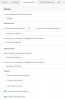
I am afraid this log out it not checked please see attached.. Kindly advise where i missed the bus!
 

Attachments

  • Ext-Status.PNG
    Ext-Status.PNG
    17.6 KB · Views: 4
Can you explicitly log the user into the queue? This is required because there are 2 types of queue login

- Explicit: you must log in to a specific queue first
- Global: Controls login of all queues you have explicitly logged in to

1586442932419.png

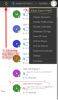
In this example of My Queue 803, the extension 001 is explicitly logged out.

The user is indeed globally logged in, but will not receive any calls from queue 803 in our example here.

Document can be found here for more info if you wish: https://www.3cx.com/docs/pbx-queue-status/
 
@John
i have followed your document first the GUI is different and my users are still logged out of the Queue. Could you assist with a GUI for version 16 i am not getting this right.

In this example of My Queue 803, the extension 001 is explicitly logged out.

The user is indeed globally logged in, but will not receive any calls from queue 803 in our example here.


Could you assist with an example with this how does this user log back into queue 803? The link you giving is not making sense unfortunately.

thanks

Quest.
 
The above screenshot is from an extension who is a queue manager, so he can see the "Q" icon next to each agent. Perhaps that's why it looks different.

Or how about you post the picture of your GUI so I can see what you see?
 
i have followed your document first the GUI is different and my users are still logged out of the Queue. Could you assist with a GUI for version 16 i am not getting this right.

The screenshots are from the webclient https://<yourdomainname>:5001/webclient

log in with the EXT and password from your user's welcome email. Once they're logged in to the web client you can follow John's screenshots to log them back in to the queue. The process is the same for Q manager or self managing.
 
Good day,

As stated I have followed your requests religiously.

Please check the following

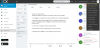
1. I am logged in as extension 1005 as Queue manager, I am able to see all the other Queues what is surprising is in the last queue in the picture attached below i am logged out how is it that am logged out when i am logged in via the browser????

Please the attached picture thanks
 

Attachments

  • Logged_out_Agent.png
    Logged_out_Agent.png
    79.3 KB · Views: 7
You are logged into the webclient = extension registered and ready for calls. This does not mean you are ready to accept any queue calls yet.

To accept queue calls, your extension must also log into its queues.
From your photo, you are not logged into your Queues though because you have a gray letter Q

1587561079626.png

The Small Q will then also light up, if it doesn't then click that one too.
1587561146830.png


The big Q is "global queue login" - Big switch logs you out of all queues

The small Q in each individual queue is the "explicit queue login" - small switch logs you out of specific queue only.
 
Status
Not open for further replies.

Latest Posts

Forum statistics

Threads
111,945
Messages
589,867
Members
164,836
Latest member
saranga