Solved Some extensions wouldn't show up after upgrading to version 16

Status
Not open for further replies.

Felipe Sofia Zanuzzo

Forum User
Joined
Feb 1, 2018
Messages
6
Reaction score
1
Four of my extensions don't appear on the Extensions tab anymore after upgrading from version 15.5 and restoring with the backup file. Interestingly, they work, but I'm unable to edit them now...
 
Hi Felipe,

Are you logged in as the PBX Admin or are you logged in as an extension with administration rights?

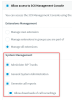
Extensions which have the following rights can only be seen by the Global PBX Administrator account only:
12717
 
I'm logged with the one that used to be the PBX Admin at least, but, since I had to uninstall (version 15.5) and reinstall (version 16) the entire 3CX phone system and restore it with my backup instead of simply upgrading seamlessly, I don't know whether anylonger...
 
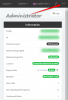
If you see the letter "A" here then you are probably the Global Administrator.

If you see other letters like the initials of your extension then you are not.


12718
 
Then no, I'm not the Global Administrator as I used to be. There was no reference to that during the installation process, so how do I do now to regain control of it?
 
You will receive an email on the administrator address after installation. Look inside that email.
 
After JohnS_3CX explained to me in a conversation where to find the admin username by the system, I could log in and retake access to the disappeared extensions. Thank you!
 
  • Like
Reactions: JohnS_3CX
Status
Not open for further replies.

Forum statistics

Threads
111,934
Messages
589,818
Members
164,811
Latest member
aurorasigntrtechitnet